3 Making a F.A.R.T. box, a disgusting soundboard
This chapter covers
- Using layouts
- Making pushbuttons
- Assign sounds to Pushbuttons and playing audio
- Creating functions
Have you heard the term “soundboard”? A soundboard usually consists of a computer program, a physical device, or a website that has a selection of buttons. When you press a button, it plays an audio clip. The sound clip is commonly a quote from a film or a lyric from a song, and has even been sound effects. Soundboards are self-contained, requiring no outside media player; you simply press a button and sound is played.
Trumps, bottom burps, gas, pump noises are funny and make most people laugh. Farts have an amazing habit of being able to distract anyone hearing one, especially if they are playing an online game. So, in this project we will build a fun GUI that combines a selection of fart noises to create a Fluff Audio Resonance Transmission (F.A.R.T.) sound board.
WHAT YOU WILL BUILD
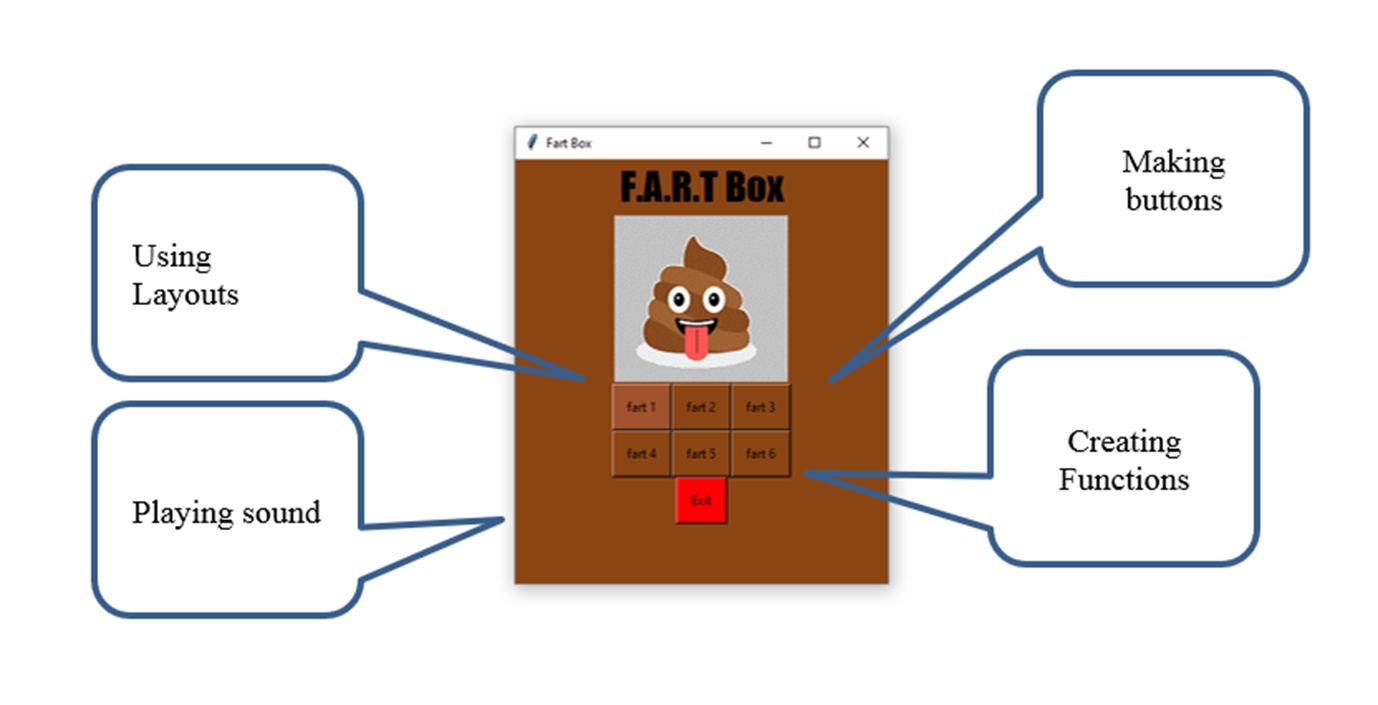
In this chapter you will build a F.A.R.T. Box soundboard (figure 3.1). This soundboard is a GUI with seven buttons. When the user presses a button, the app plays a fart sound. Press a different button and it plays a different fart sound. The last button closes the soundboard.