2 Generating text with a pretrained LLM
This chapter covers
- Setting up the code environment for working with LLMs
- Using a tokenizer to prepare input text for an LLM
- The step-by-step process of generating text with a pretrained LLM
- Caching and compilation techniques for speeding up LLM text generation
In the previous chapter, we discussed the difference between conventional large language models (LLMs) and reasoning models. We also introduced several techniques that can improve the reasoning capabilities of LLMs. These techniques are usually applied on top of a conventional (base) LLM.
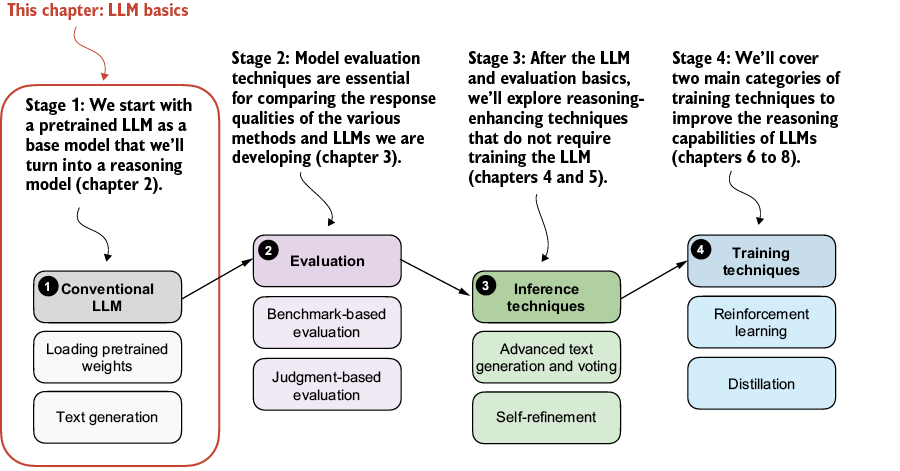
In this chapter, we’ll lay the groundwork for the upcoming chapters by loading a pretrained base model, as shown in figure 2.1. Previously, we discussed how reasoning methods are often added after the usual post-training stages. But starting from a base model makes it easier to see which capabilities come from the reasoning methods themselves. The conventional LLM in this chapter is a nonreasoning LLM, and more specifically, a pretrained base model rather than an instruction- or preference-tuned assistant.
Figure 2.1 The four main stages of developing a reasoning model. This chapter focuses on stage 1: loading a conventional LLM and implementing the text generation functionality.