2 Getting started
This chapter covers
- Assembling and configuring the core hardware and software of the robot
- Controlling the color and brightness of the NeoPixel
- Reading sensor data from the four on board touch sensors
- Controlling DC motors with Python
- Creating your first Python robotics program that interacts with sensors and motors
This chapter will teach you how to connect and configure the main hardware and software components used for the robots in the book. Once the hardware and software are setup, we’ll get straight into interacting with the hardware using Python by reading sensor data from the on-board touch sensors. Then learning how to control the NeoPixel lights and a DC motor. Finally, all these different hardware components and Python scripts will come together to create a robotics program that controls the NeoPixel and DC motors based on touch sensor input.
2.1 Introducing our Robotic Hardware
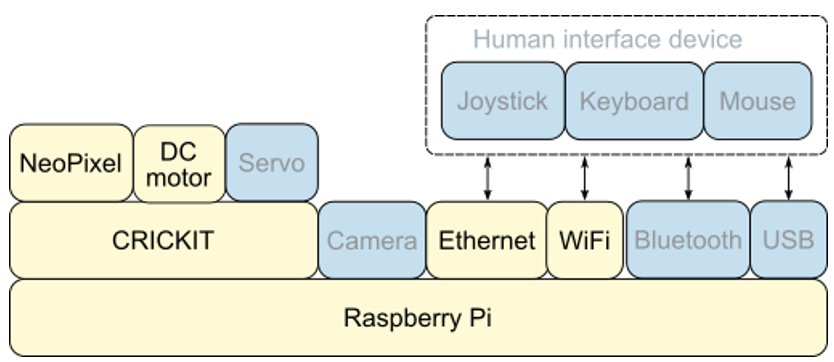
Figure 2.1 shows the hardware stack discussed in the previous chapter with the specific components used in this chapter highlighted in the boxes with darker text. The components with grayed out text will be used in later chapters.
Figure 2.1 Hardware stack: The Raspberry Pi will handle network communication using Ethernet and Wifi.