16 Securing Airflow
This chapter covers
- Examining and configuring access controls
- Granting access to users from a central authentication service
- Configuring a Fernet key to encrypt secrets in the database
- Securing traffic between your browser and the web server
- Fetching secrets from a central secrets-management system
As an orchestrator with access to many other systems, Airflow is a desirable target for hackers. To keep unwanted intruders at bay, Airflow offers several layers of security to help prevent unauthorized access.
In this chapter, we dive deeper into Airflow’s security layers and show some practical examples of how to use them. This should give you a good starting point for implementing strategies to secure your own Airflow installation.
We assume that you have some knowledge of basic security principles. But the chapter was written for readers who have little knowledge of the topic, so it should be suitable for most readers.
16.1 Role-based access in the Airflow UI
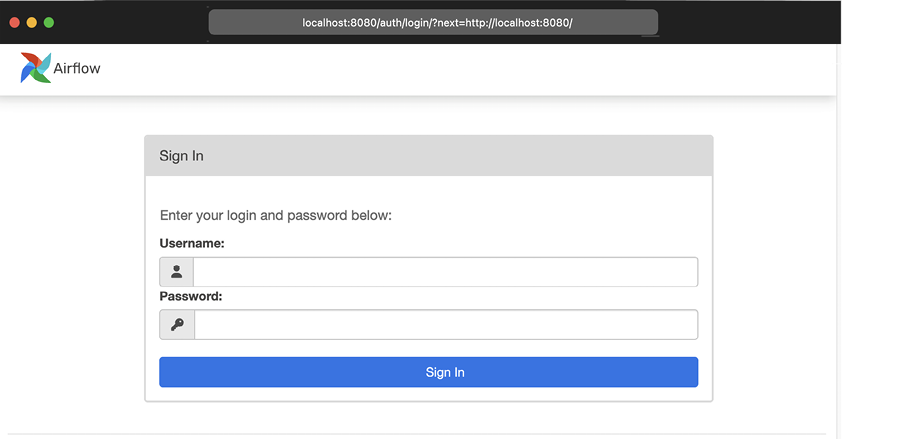
Start Airflow, and then go to http://localhost:8080, where you’ll see a login screen (figure 16.1). This is the first view of the role-based access control (RBAC) interface. At this point, the UI is asking for a username and password, but depending on your type of deployment, you may not have any users yet.
Figure 16.1 Home screen of the RBAC interface. Password authentication is enabled by default. The existence of a default user depends on the way Airflow is deployed.