2 Setting up your Rust tool-chain
This chapter covers
- Establishing an embedded Rust environment tailored for microcontroller development.
- Expanding Cargo’s capabilities for building and inspecting embedded binaries.
- Using classic GNU utilities for inspecting and manipulating the binaries.
- Simplifying bare-metal Rust project creation with standardized templates.
- Flashing, debugging, and testing firmware, including the use of the Knurling tools and emulator environments for a streamlined work-flow.
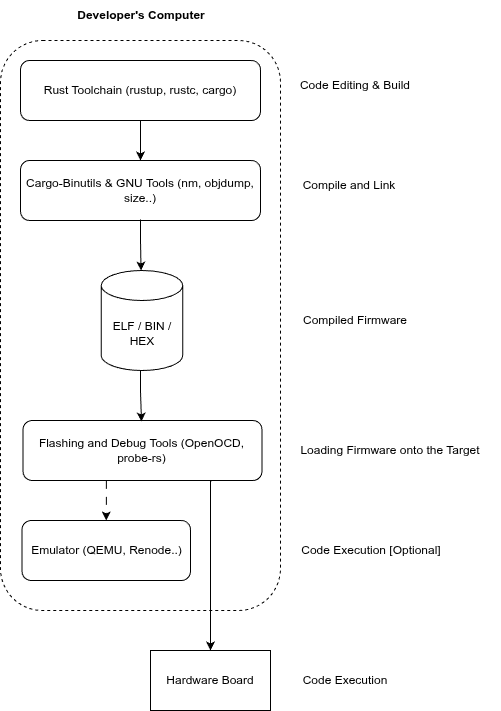
Embedded Rust development (2.1) introduces unique challenges compared to desktop Rust applications. We have explored Rust’s general advantages for embedded systems. Building on that foundation, this chapter provides practical guidance for setting up and managing your development environment, introducing key tools, processes, and best practices specifically tailored for embedded Rust development.
Figure 2.1 Rust no_std development flow
2.1 Setting up your embedded Rust environment
This section guides you through setting up an embedded Rust development environment. We will install and configure the Rust toolchain and supporting tools required for embedded targets, ensuring your setup is ready for practical development. We will walk through the process of preparing your Rust tool-chain and editor, ensuring that your environment is ready for embedded Rust work.