10 Working with data: HTTP, Firestore, and JSON
In this chapter:
- Serializing JSON data
- Using HTTP to talk to a backend
- Using Firebase as a backend
- Using Firestore NoSQL database
- Using dependency injection for reusable code
At this point in the book, if you’ve been following along in order, you’re ready to build a full, production ready front-end in Flutter. Truly, you’re finished! If you work at a company that’s considering building a Flutter app, you have all the information you need to start that project or convince your manager it’s worth it.
But, there are an infinite number of topics that, although similar in Flutter to various other SDKs, are pertinent in writing applications. For the rest of the book, I’m going to depart from Flutter focus on topics you need to leverage in any mobile app, but they aren’t (necessarily) Flutter specific.
Particularly in this app, you probably want to know how to work with a backend or data store. And, to talk to almost any backend, you’ll probably want to turn Dart objects into some universal data format, like JSON. That’s what this chapter is about: Talking to back-ends.
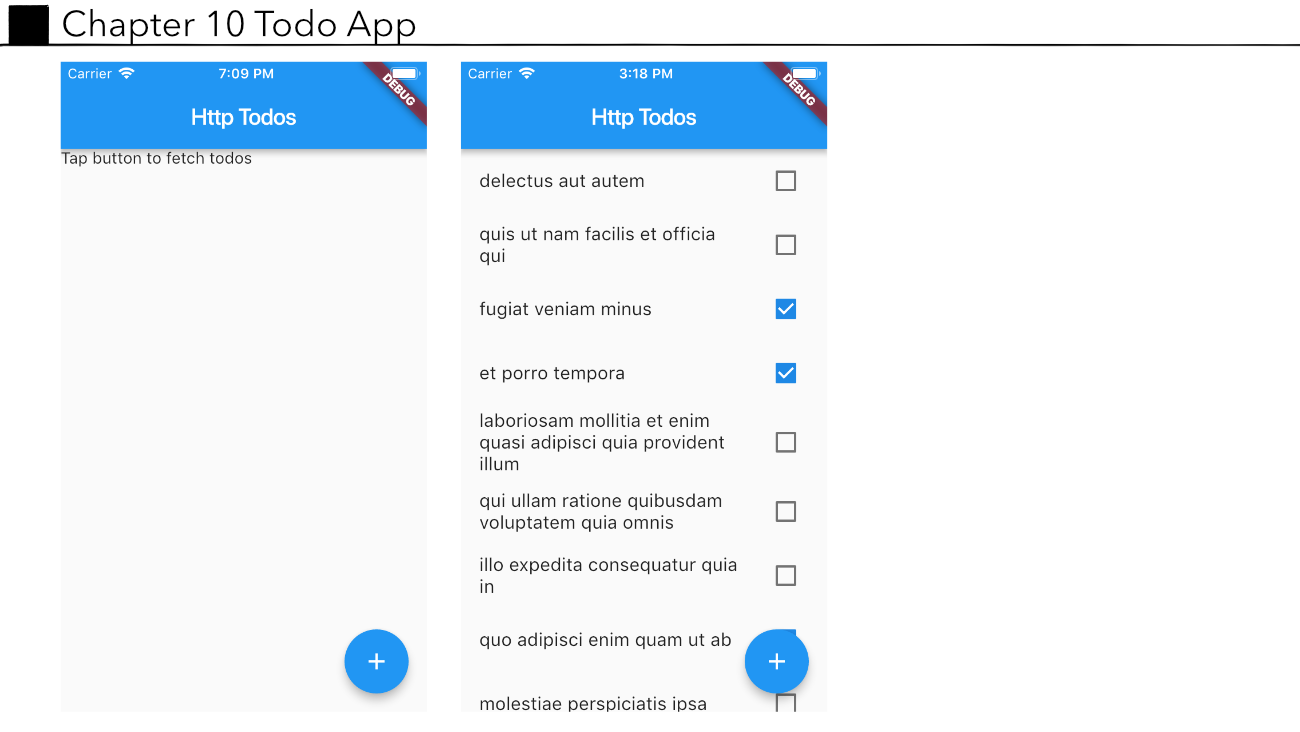
With that in mind, the UI work for the remainder of the book is light. In fact, the app that I’m going to make in this chapter looks like this:
Figure 10.1. Screen shots of the todo app built in this chapter