chapter nine
This chapter covers:
- Understanding how to troubleshoot a misconfigured workload
- How to detect and prevent misconfigurations using Istioctl
- Explains how to use Istioctl to investigate service proxy configuration
- Explains how to make sense of Envoy logs to understand service proxy behavior
- Gain insights into your apps using the collected telemetry
Debugging the service mesh can be a daunting task as many components participate to serve a request and issues can occur in any of those. This is not a plight brought onto us by Istio, it’s the nature of distributed systems.
Figure 9.1. Components that participate to route a request
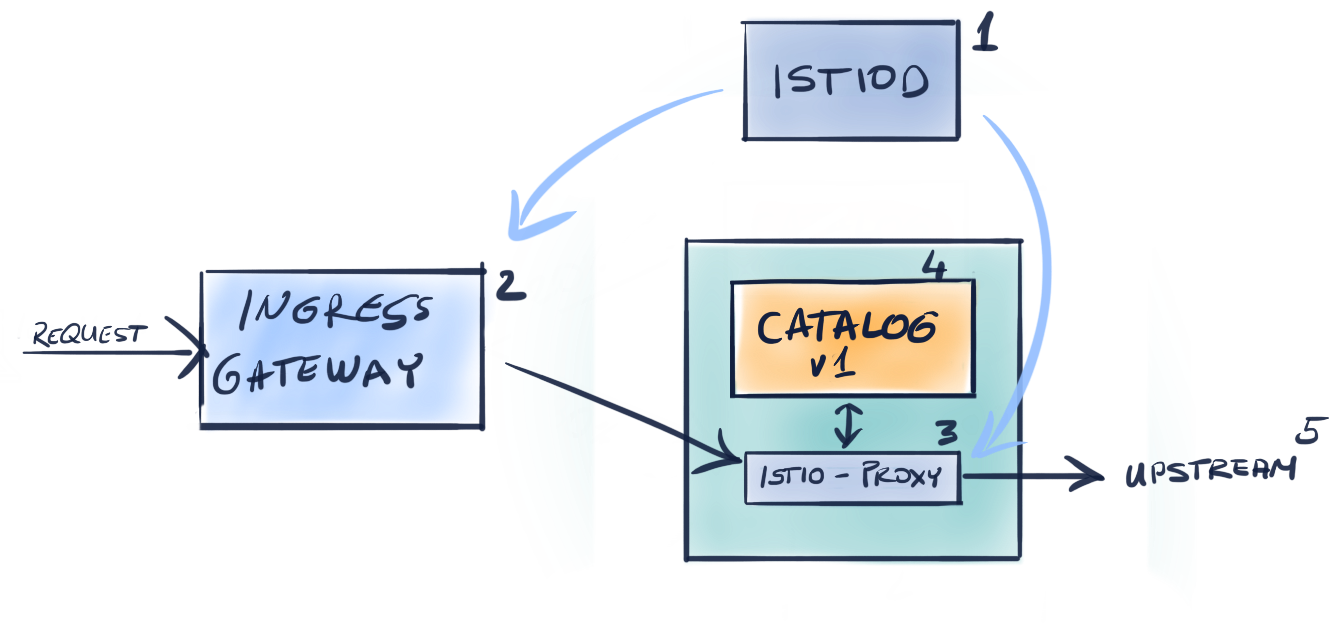
As seen in the figure above the components that participate to serve a request are:
- Istio Pilot which ensures the data plane is synchronized to the desired state
- The Ingress Gateway that admits traffic into the cluster
- The service proxy that provides access control and handles traffic from the downstream to the local application
- The application itself, that serves the request. The application might request another service which continues the chain to
- Another upstream service…
Thus when facing failures it can be related to any of the components in this chain. Debugging every component could take a lot of time, which we don’t have when apps are impacted in the entire cluster.