Have you ever started at a new job and, after asking for the list of SQL Servers you’ll be managing, were given an incomplete list of IPs and backup locations? That’s happened to us before, which is one of the reasons we often start each new job by scanning the network for undocumented SQL Server instances. It’s important to be aware of all SQL Server instances within a network so that they can all be managed, backed up and secured.
Finding rogue SQL Servers can be challenging because of unmanaged server sprawl, inconsistent network configurations, firewall settings, and more. Further, it can be challenging because the database engine may use different ports and SQL Server as a whole is comprised of many components such as Reporting Services and Integration Services.
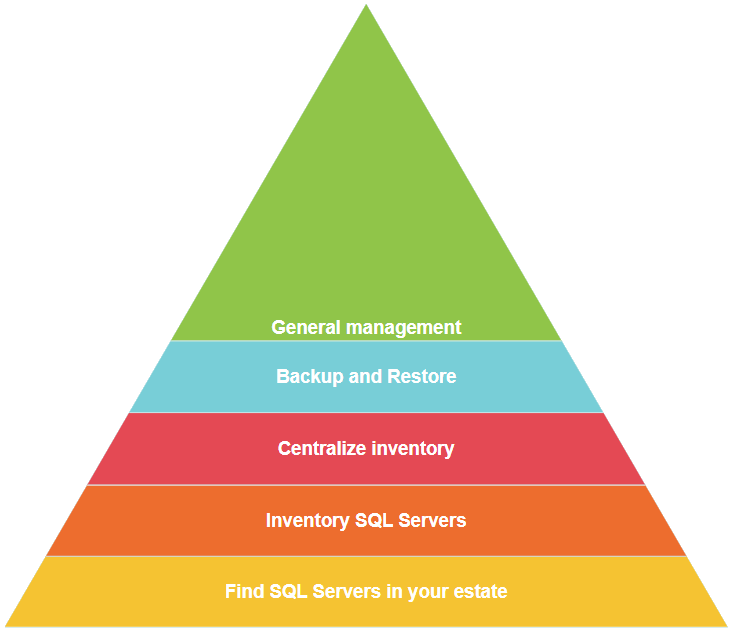
When DBAs are given an incomplete view of their estate, there’s often a natural progression of tasks that looks like Figure 6.1. First, you have to find your undocumented servers, then you can go to the next step of inventorying your SQL Servers and centralizing your inventory for easier management and standardization.
Figure 6.1. General progression of inheriting a SQL estate
This chapter addresses that base step: finding all of your SQL Server instances. In this chapter, we’ll teach you how to find most, if not all, SQL Server instances on your network, and we’ll accomplish this using a single command written by three well-known security professionals.