23 Adding logic and loops
Looping (or going though a list of objects one at a time) is a fundamental concept in any language, and PowerShell is no exception. There will come a time when you will need to execute a block of code numerous times. PowerShell is well equipped to handle this for you.
23.1 For Each
This section may be a bit confusing as there is a difference between Foreach and Foreach-Object.

23.1.1 Foreach
Probably the most common form of looping is the Foreach command. Foreach allows you to iterate through a series of values in a collection of items, such as an array. The syntax of a ForEach command is
Foreach (
temporary variable IN collection object)
{Do Something}
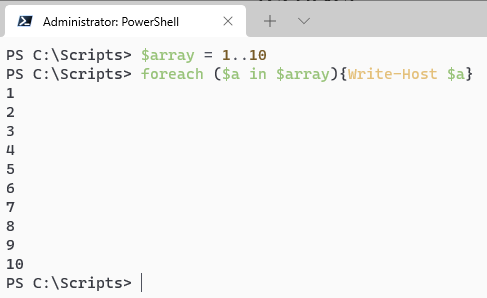
The process block (the part surrounded by the {} ) will execute as many times are there are objects in the collection object. Let's look at the following command and break it down
PS C:\Scripts> $array = 1..10
PS C:\Scripts> foreach ($a in $array) {Write-output $a}
First, we made a variable called $array that will contain an array of numbers from 1 to 10.
Next, We are making a temporary variable ($a) and assigning it to the current item in the collection that we are working with. The variable is only available inside the script block and will change as we innterate through the array.
Finally, the script block represented by the curly braces { } will output $a to the screen