15 Building an app
This chapter covers
- Planning a complete Vanilla Web application
- Building a small bookshop with Web Components, routing, and data binding
- Separating modern browser APIs from fallback code
- Connecting the final source code with the chapters that introduced each technique
In this chapter, we will build Luma Books, a small online bookstore, as you can see in Figure 15.1. The goal is to connect the techniques from the book into one project that remains easy to inspect, explain, and modify.
The complete source code lives in the files that accompany this book.
Figure 15.1 The Luma Books homepage rendering books on sale through a Vanilla Web project using everything we’ve learned in this book.
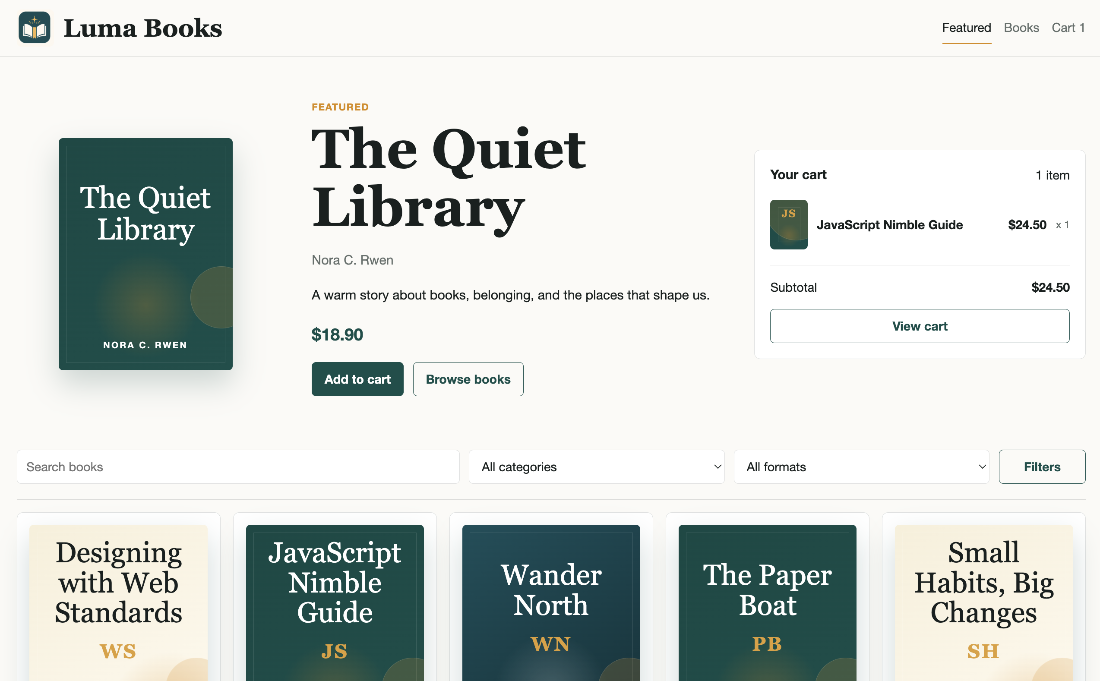
The app is intentionally static. It runs from a web server, loads book data from a JSON file, renders screens with Web Components, persists cart and order data in IndexedDB, and includes the metadata required to be installable as a web app and to be compatible with social networks and AI agents.
Tip
If you want to see a hosted version of this app, you can go to https://vanillaweb.app/demo.
15.1 Planning
Before writing code, we need to choose which technologies from the book to use together. Some ideas overlap. For example, Chapter 13 shows several data-binding techniques, but a small app shouldn’t use all of them at the same time. Luma Books uses the smallest useful set, seen in Table 15.1.