concept user account in category active directory

This is an excerpt from Manning's book Learn Active Directory Management in a Month of Lunches.
This is a practical book. You’ll be getting your hands dirty. That means you need somewhere to practice. Your first thought may be to create an area in your production Active Directory that you can use. This is generally a bad idea. I really can’t emphasize enough that you shouldn’t practice the things you’ll learn in this book in your production environment. Just think of the consequences when you get to the section on deleting user accounts and you delete the boss’s account rather than the test account you just created.
The process of updating user accounts can be divided into two areas. First, you need to be able to update the data that forms the user account. The data is held in the user account properties, and you’ll learn how to use GUI tools and PowerShell to modify those properties. Second, the status of the account can be updated by disabling or enabling it. A disabled account can’t be accessed, and you’ll see why you may want to disable an account, as well as how to perform the task.
Everything in IT has a lifecycle, and user accounts are no different. Eventually an account will no longer be required because the user has left the organization for one reason or another. Leaving accounts that aren’t needed in your Active Directory is inefficient because you don’t need to manage that data and it could potentially be a security risk. This is when you need to consider deleting the account—once you’re satisfied the user really has left the organization!
Working with user accounts as just outlined will form a large part of your work with Active Directory. Many senior administrators still get involved with administering user accounts. It’s a requirement and skill that never goes away.
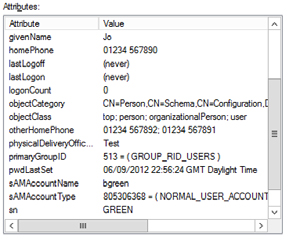
2. Right-click on the user account and choose Properties.