concept Broker in category activemq

This is an excerpt from Manning's book ActiveMQ in Action.
$ cd $TOMCAT_HOME
$ ./bin/catalina.sh run
Using CATALINA_BASE:   /opt/apache-tomcat-6.0.26
Using CATALINA_HOME:   /opt/apache-tomcat-6.0.26
Using CATALINA_TMPDIR: /opt/apache-tomcat-6.0.26/temp
Using JRE_HOME:
/System/Library/Frameworks/JavaVM.framework/Versions/
CurrentJDK/Home
Using CLASSPATH:        /opt/apache-tomcat-6.0.26/bin/bootstrap.jar
...
INFO - BrokerService     - ActiveMQ 5.4.1 JMS Message
Broker (FooBroker) is starting
...
Apr 8, 2010 9:03:03 PM org.apache.catalina.startup.Catalina start
INFO: Server startup in 3542 ms
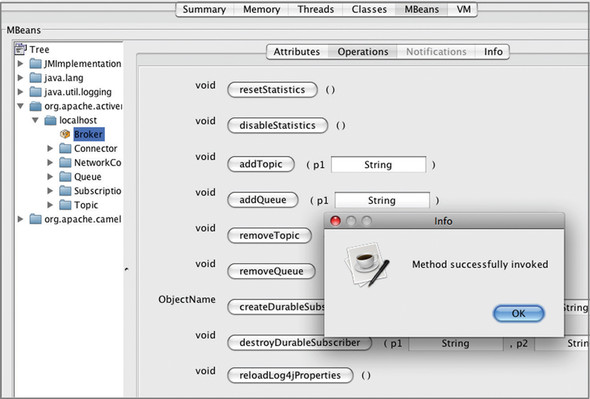
In addition to starting/stopping ActiveMQ after changing the logging configuration, one common question is how to change the logging configuration at runtime. This is a reasonable request, since you may not want to stop ActiveMQ to change the logging configuration. Luckily, you can use the JMX capabilities in ActiveMQ along with JConsole to achieve this. Just make the necessary changes to the conf/log4j.properties file and save them. Then open JConsole and select the Broker MBean as shown in figure 14.15.
Locate the button reloadLog4jProperties on the Broker MBean’s Operations tab. Click the button named reloadLog4jProperties and the conf/log4j.properties file will be reloaded and your changes will be applied.