concept control in category alexa

This is an excerpt from Manning's book Voice Applications for Alexa and Google Assistant.
You can’t control how a user will respond, but you can shape their response. You’ll see some methods for doing this in chapter 8.
We can let Alexa handle the dialog because at each step in the dialog, Alexa sends the fulfillment an intent request that also contains a property named
dialogState. In figure 8.2, you see thedialogStatechange as the dialog moves forward. Until every slot is filled and all information is confirmed,dialogStatewill have a value other thanCOMPLETED. The intent can check for the presence of this value and pass back control to Alexa if it’s not present. Alexa will use responses defined in the dialog model to speak to the user.
Listing 8.15 Returning intent to Alexa (./lambda/custom/index.js)
const BuyTicketsIntentHandler = {
  ...
  handle(handlerInput) {
    ...
    if (handlerInput.requestEnvelope.request.dialogState !== dialogComplete) {
      ...
      return handlerInput.responseBuilder    #1
        .addDelegateDirective(intent)    #1
        .getResponse();    #1
    } else {
      ...
    }
  }
};

#1   If the dialog isn’t complete, pass back control with the current intent to Alexa.
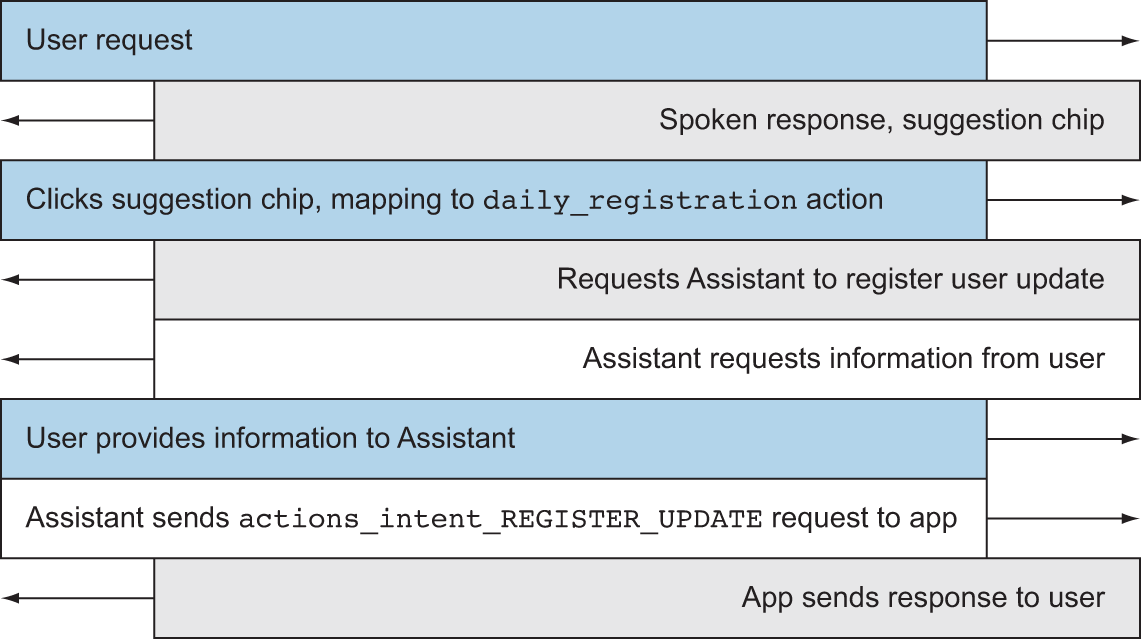
Figure 11.5 We provide control to Assistant for part of the daily update registration flow.