concept property in category apache chemistry

This is an excerpt from Manning's book CMIS and Apache Chemistry in Action.
This first example is straightforward—it calls the createFolder method on the OpenCMIS Session object. This method takes two parameters: a set of properties and the parent folder ID. It returns the ID of the new folder:
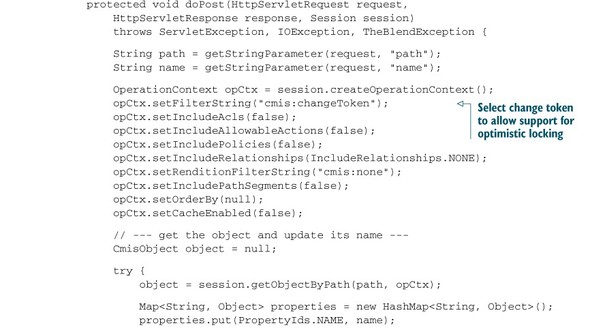
The doPost method, shown in listing 8.8, does all of the hard work. It gets the path and name parameters, fetches the object, and updates the properties. Note that the OperationContext selects the cmis:changeToken property.
ObjectId newVersionId =
  pwc.checkIn(true, properties, contentStream, "a version comment");
The first parameter defines whether this new version should become a major or a minor version. The second parameter changes properties, and the third parameter sets new content. You can see that you can work with a PWC in one of two ways. You can update a PWC object, and when you check it in, set the properties and content parameters to null. The current state of the PWC then becomes the new version. You can also get the PWC object and not change anything. When you call checkIn, you provide all property updates and/or the new content. It’s up to you what makes more sense for your application.
As you’ll recall, the CMIS specification defines a bunch of properties for the base object types. You’ve seen most of them already in previous chapters. Most properties defined in the specification are read-only, and you can only change their values indirectly by doing something with the object. But only one property is modifiable for almost all repositories and all types: the object’s name, also known as cmis:name. In this section, you’ll build a web page that allows you to rename objects.