concept DefinitionExpression in category arcgis

This is an excerpt from Manning's book ArcGIS Web Development.
I’ll also cover what modes are available for a FeatureLayer, as well as how to create a DefinitionExpression.
By default, the FeatureLayer uses MODE_ONDEMAND. In the case of this example, this retrieves almost all the data in the feature service, which is why it may not perform well. To make working with large amounts of data in the FeatureLayer more manageable, you’ll define a DefinitionExpression—a set of criteria you can define on the FeatureLayer to limit the data that’s retrieved.
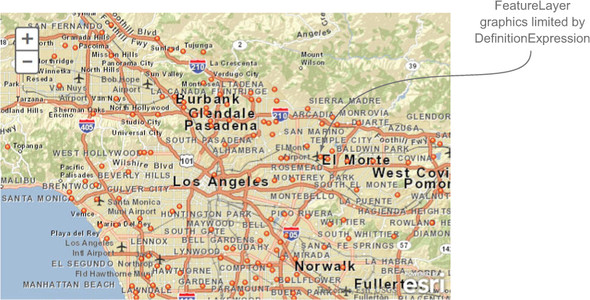
This particular feature service includes population information for census tracts, so you may want to display only locations with a population greater than 5,000 people. You can do this by setting the DefinitionExpression on the FeatureLayer:
The FeatureLayer is still in on-demand mode, but now it limits the amount of data requested by the criteria you set in the DefinitionExpression. This combination can greatly improve performance of your application.
Now you’re starting to do something more interesting with your data. By providing a DefinitionExpression, you’re asking the data questions and displaying the response. Let’s make this application even more interactive.