concept client - side validation in category asp.net

This is an excerpt from Manning's book ASP.NET Core in Action, Second Edition.
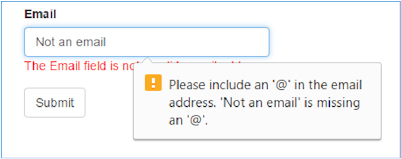
Figure 6.8 By default, modern browsers will automatically validate fields of the email type before a form is submitted.


This is an excerpt from Manning's book ASP.NET Core in Action.
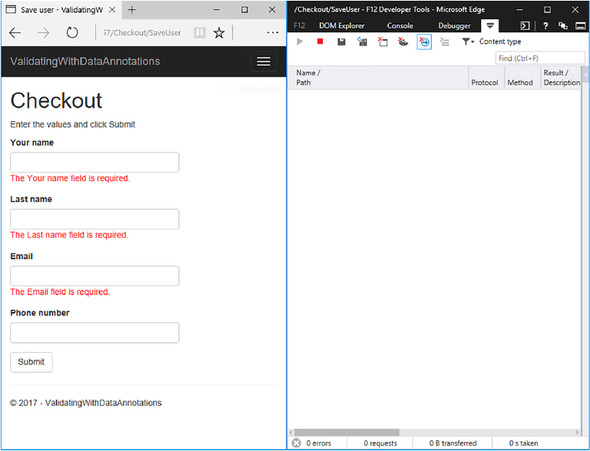
You can add client-side validation to your application in a couple of different ways. HTML5 has several built-in validation behaviors that many browsers will use. If you display an email address field on a page and use the “email” HMTL input type, then the browser will automatically stop you from submitting an invalid format, as shown in figure 6.8.
Figure 6.8. By default, modern browsers will automatically validate fields of the email type before a form is submitted.
Your application doesn’t control this validation, it’s built into modern HTML5 browsers.[4] The alternative approach is to perform client-side validation by running JavaScript on the page and checking the values the user has entered before submitting the form. This is the default approach used in ASP.NET Core MVC when you’re building a traditional web application.
Perhaps the most striking addition is the swath of data-val-* attributes. These can be used by client-side JavaScript libraries such as jQuery to provide client-side validation of your DataAnnotations constraints. Client-side validation provides instant feedback to users when the values they enter are invalid, providing a smoother user experience than can be achieved with server-side validation alone, as I described in chapter 6.
The Input Tag Helper sets the type attribute of an <input> element to the appropriate value based on a bound property’s Type and any DataAnnotations applied to it. It also generates the data-val-* attributes required for client-side validation. To enable client-side validation, you must add the necessary JavaScript files to your view for jQuery validation and unobtrusive validation.