concept common task in category asp.net

This is an excerpt from Manning's book ASP.Net 2.0 Web Parts in Action: Building Dynamic Web Portals.
Today, ASP.NET is the fastest growing web development platform in the world! For the architects of ASP.NET 1.0, the success of that release marked the beginning of planning for the next evolution: ASP.NET 2.0. ASP.NET 1.0 established a common page model as a standard for programming and provided a sleek new runtime environment for processing requests. The 1.0 release also simplified how we work with web services and made them much easier to build and deploy. Finally, the 1.0 release gave us server controls. Server controls are pre-packaged components that encapsulate common tasks; these include controls such as a calendar for displaying calendar information and data grids for displaying data in a tabular manner. Server controls provide a consistent programming model—a standard that developers follow to write code.
In the world of applications development, we walk a fine line between the desire to implement cool new features and the need to supply applications that are easy to use. I know from my own experiences with Rapid Application Development (RAD), it can be easy to lose sight of the big picture when tempted by the dizzying array of cool new features and options at our disposal. Because of this, projects often veer off course when a developer pipes up with an idea like, “Let’s just add one of these clever gadgets to the application.” By the time the application is deployed, so many “little gadgets” have been randomly added that the application is downright unwieldy. Almost as common—and equally as difficult to use—is the application with few or no features at all. With this type of application, users lack the tools and features they require to interact with the application and therefore invent their own methods of performing common tasks.
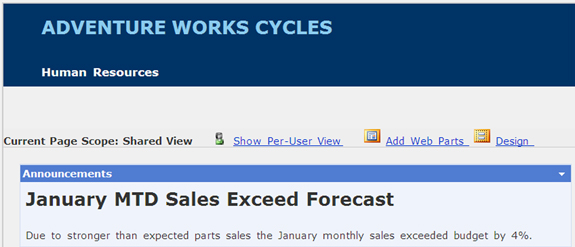
Now that we have identified the common tasks, we need a way to expose them from a highly prominent place in our application so that they are easily accessible to our users. In Windows programs such as MS Word, Internet Explorer, and the Windows File Explorer, common tasks are positioned on a menu at the top of the screen so that they can always be accessed by a single click. Placing the important tasks in such a prominent position has another advantage—it makes it easier to introduce new common tasks to users without causing confusion. In this next section we’ll add a menu bar to our portal to display common tasks to users. When this work is completed the home portal page will look like the image shown in figure 8.2.
When trying to identify common tasks, it is important to realize that our users will often simply browse through the pages of our portal, quite content to read the text on the pages or to view the information exposed by web parts on the page. But at other times they will enter the portal to manage it by adding new content or changing the web parts that are displayed on a given page. Each of the tasks users perform within the application is known as a scenario, and it’s the complete list of scenarios that determines the total feature set of an application.