concept custom verb in category asp.net

This is an excerpt from Manning's book ASP.Net 2.0 Web Parts in Action: Building Dynamic Web Portals.
This chapter is the first step in a journey through the properties, methods, and operations of web parts. In it we’ll learn how to add custom verbs to web parts and how to customize their look and feel through themes and other customization techniques. We’ll also delve a little deeper into the subject to see how web parts implement various interfaces that expose their behavior to the rest of the ASP.NET web portal framework. By the end of this chapter we’ll be well on our way to understanding how the http://Start.com website achieves its magic. Let’s begin!
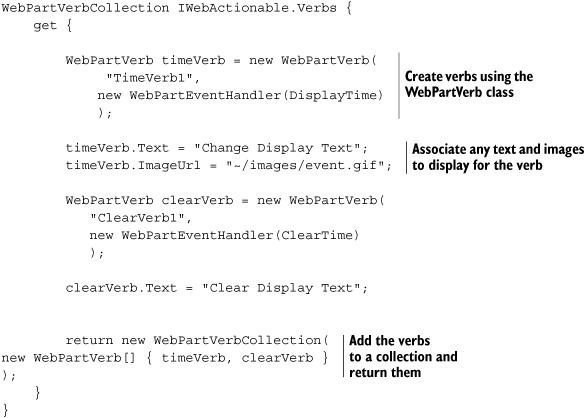
The IWebActionable interface is used to define a property named Verbs that appears on every web part. The Verbs property is responsible for returning all the verbs that belong to a web part, and it is here that we have the opportunity to add custom verbs to the existing collection. Let’s demonstrate this by extending the SampleWebPart we just created, so that it implements the IWebActionable interface. This will allow us to add in our own custom verbs for that web part. The following snippet of code shows how to implement the interface on our SampleWebPart class.