concept link in category asp.net

This is an excerpt from Manning's book ASP.NET 4.0 in Practice.
As previously noted, this technique is useful when you don’t know the path to the CSS file, and you have to determine it at runtime. An example is when you need to personalize a link based on user preference.
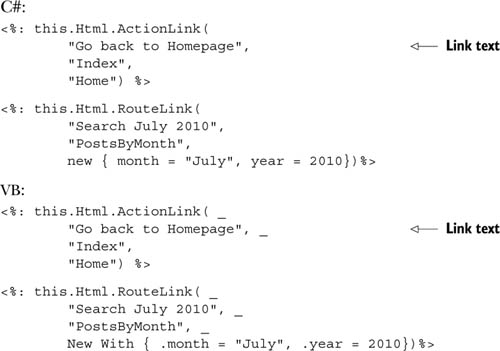

This is an excerpt from Manning's book ASP.NET MVC 2 in Action.
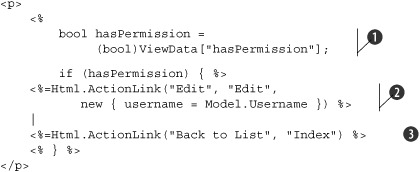
In our view, we extract the hasPermission information
from ViewData. Next, we conditionally show the Edit link based on the hasPermission variable
. Finally, we display a link
to take the user back to the profile list page. The final rendered page for showing the current user’s profile is shown in figure 3.1.
Inside our views, we don’t need to specify the area route data value when generating links to other controller actions inside that area. Listing 21.4 shows a link in the Edit screen that links back to the list of profiles.