concept message in category asp.net

This is an excerpt from Manning's book ASP.NET Core in Action, Second Edition.
When you’re running in a production environment, exposing this amount of data to users would be a big security risk. Instead,
ExceptionHandlerMiddlewareis registered so that, if users encounter an exception in your method, they will be presented with a friendly error page that doesn’t reveal the source of the problems. If you run the default template in production mode and trigger an error, then you’ll be presented with the message shown in figure 2.12 instead. Obviously, you’d need to update this page to be more visually appealing and more user-friendly, but at least it doesn’t reveal the inner workings of your application!Figure 2.12 The default exception-handling page. In contrast to the developer exception page, this doesn’t reveal any details about your application to users. In reality, you’d update the message to something more user-friendly.
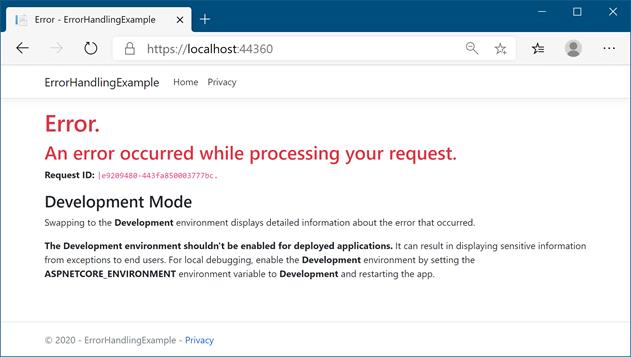
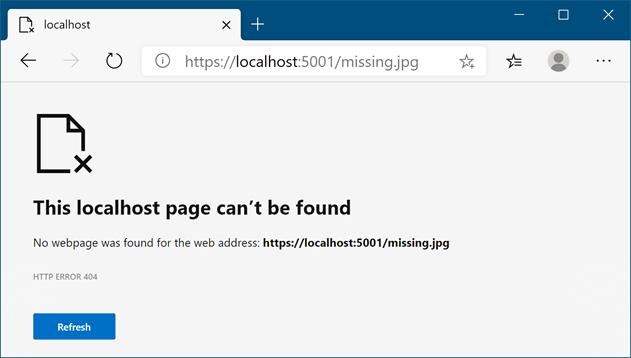
Figure 3.18 A generic browser error page. If the middleware pipeline can’t handle a request, it will return a 404 error to the user. The message is of limited usefulness to users and may leave many confused or thinking your web application is broken.

This is an excerpt from Manning's book ASP.NET Core in Action.
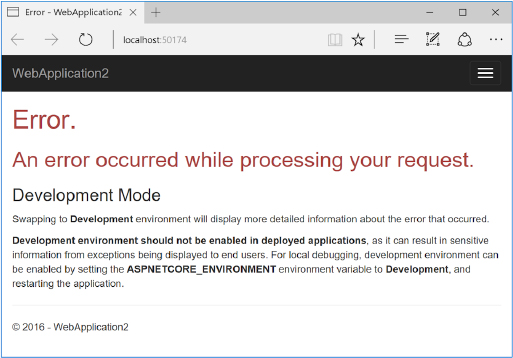
When you’re running in a production environment, exposing this amount of data to users would be a big security risk. Instead, ExceptionHandlerMiddleware is registered so that, if users encounter an exception in your method, they will be presented with a friendly error page that doesn’t reveal the source of the problems. If you run the default template in production mode and trigger an error, then you’ll be presented with the message shown in figure 2.11 instead. Obviously, you’d need to update this page to be more visually appealing and more user-friendly, but at least it doesn’t reveal the inner workings of your application!
In section 17.2, you’ll learn how to write your own log messages in your apps with the ILogger interface. We’ll break down the anatomy of a typical log record and look at its properties, such as the log level, category, and message.
Listing 17.2. Injecting ILogger into a class and writing a log message
public class RecipeController : Controller { private readonly RecipeService _service; private readonly ILogger _log; #1 public RecipeController(RecipeService service, ILogger<RecipeController> log) #1 { _service = service; _log = log; #1 } public IActionResult Index() { var models = _service.GetRecipes(); _log.LogInformation( "Loaded {RecipeCount} recipes", models.Count); #2 return View(models); } } #1 Injects the generic ILogger<T> using DI, which implements ILogger #2 This writes an Information-level log. The RecipeCount variable is substituted in the message. !@%STYLE%@! {"css":"{\"css\": \"font-weight: bold;\"}","target":"[[{\"line\":3,\"ch\":4},{\"line\":3,\"ch\":34}],[{\"line\":3,\"ch\":63},{\"line\":3,\"ch\":65}],[{\"line\":6,\"ch\":63},{\"line\":6,\"ch\":65}],[{\"line\":9,\"ch\":63},{\"line\":9,\"ch\":65}],[{\"line\":21,\"ch\":0},{\"line\":21,\"ch\":2}],[{\"line\":6,\"ch\":12},{\"line\":6,\"ch\":41}],[{\"line\":3,\"ch\":63},{\"line\":3,\"ch\":65}],[{\"line\":6,\"ch\":63},{\"line\":6,\"ch\":65}],[{\"line\":9,\"ch\":63},{\"line\":9,\"ch\":65}],[{\"line\":21,\"ch\":0},{\"line\":21,\"ch\":2}],[{\"line\":9,\"ch\":8},{\"line\":9,\"ch\":19}],[{\"line\":3,\"ch\":63},{\"line\":3,\"ch\":65}],[{\"line\":6,\"ch\":63},{\"line\":6,\"ch\":65}],[{\"line\":9,\"ch\":63},{\"line\":9,\"ch\":65}],[{\"line\":21,\"ch\":0},{\"line\":21,\"ch\":2}],[{\"line\":15,\"ch\":8},{\"line\":15,\"ch\":28}],[{\"line\":16,\"ch\":12},{\"line\":16,\"ch\":58}],[{\"line\":16,\"ch\":62},{\"line\":16,\"ch\":64}],[{\"line\":22,\"ch\":0},{\"line\":22,\"ch\":2}]]"} !@%STYLE%@!In this example, you’re using one of the many extension methods on ILogger to create the log message, LogInformation(). There are many extension methods on ILogger that let you easily specify a LogLevel for the message.
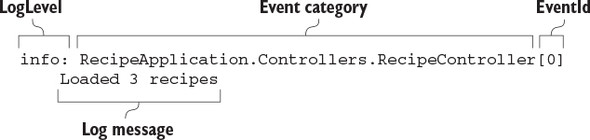
When the RecipeController.Index action executes (due to a request to /recipes/ index), ILogger writes a message to any configured logging providers. The exact format of the log message will vary from provider to provider, but figure 17.4 shows how the console provider would display the log message from listing 17.2.
The exact presentation of the message will vary depending on where the log is written, but each log record includes up to six common elements:
Whenever you create a log entry, you must provide a message. This can be any string you like, but as you saw in listing 17.2, you can also include placeholders indicated by braces, {}, in the message string: