concept MvcMiddleware in category asp.net

This is an excerpt from Manning's book ASP.NET Core in Action.
The order in which middleware is registered defines the final order of the middleware pipeline for the application. Typically, MvcMiddleware is the last middleware in the pipeline. Earlier middleware, such as StaticFileMiddleware, will attempt to handle the request first. If the request is handled, MvcMiddleware will never receive the request.
In ASP.NET Core web applications, the final piece of middleware in the pipeline will normally be MvcMiddleware. This is typically where you write the bulk of your application logic, by calling various other classes in your app. It also serves as the main entry point for users to interact with your app. It typically takes one of two forms:
An HTML web application, designed for direct use by users. If the application is consumed directly by users, as in a traditional web application, then the MvcMiddleware is responsible for generating the web pages that the user interacts with. It handles requests for URLs, it receives data posted using forms, and it generates the HTML that users use to view and navigate your app. An API designed for consumption by another machine or in code. The other main possibility for a web application is to serve as an API, to backend server processes, to a mobile app, or to a client framework for building single page applications (SPAs). The same MvcMiddleware can fulfill this role by serving data in machine-readable formats such as JSON or XML, instead of the human-focused HTML output. In this chapter, you’ll learn how ASP.NET Core uses the MvcMiddleware to serve these two requirements. You’ll start by looking at the Model-View-Controller (MVC) design pattern to see the benefits that can be achieved through its use and learn why it’s been adopted by so many web frameworks as a model for building maintainable applications.
Next, you’ll learn how the MVC design pattern applies specifically to ASP.NET Core. The MVC pattern is a broad concept that can be applied in a variety of situations, but the use case in ASP.NET Core is specifically as a UI abstraction. You’ll see how to add the MvcMiddleware to your application, as well as how to customize it for your needs.
The result of your efforts won’t be exciting yet. We’ll display “Hello World” on a web page, but it’ll show how simple it is to convert an ASP.NET Core application to use MVC. It also emphasizes the pluggable nature of ASP.NET Core—if you don’t need the functionality provided by the MVC middleware, then you don’t have to include it. Here’s how you add the MvcMiddleware to your application:
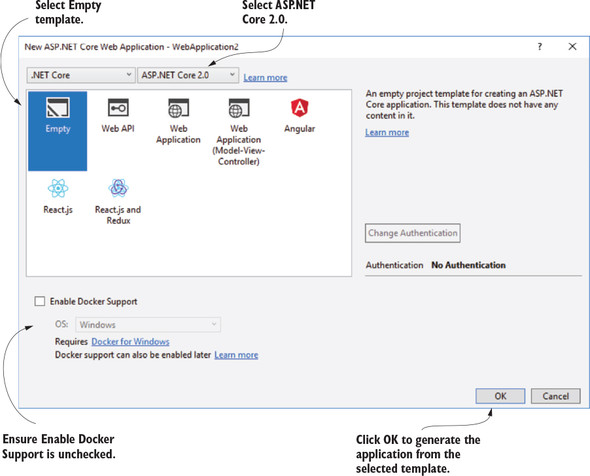
Listing 5.1. Configuring the MvcMiddleware in the middleware pipeline
public class Startup { public void ConfigureServices(IServiceCollection services) { services.AddMvc(); } public void Configure(IApplicationBuilder app) { app.UseMvc(routes => { routes.MapRoute( name: "default", template: "{controller=Home}/{action=Index}/{id?}"); }); } }