concept web.config in category asp.net

This is an excerpt from Manning's book ASP.NET 4.0 in Practice.
An ASP.NET application might contain a file called web.config in every directory of the web site. When it’s placed in the root, web.config has the ability to overwrite some special configuration options, such as HttpHandler and HttpModules, authentication, SessionState, and so on. If you place web.config in subdirectories, you can overwrite only selected features, like HttpHandlers and authorization.
If you specify a value for a given property in web.config, this value will be used by all the pages in that particular path. This feature helps delegation and enhances customization.
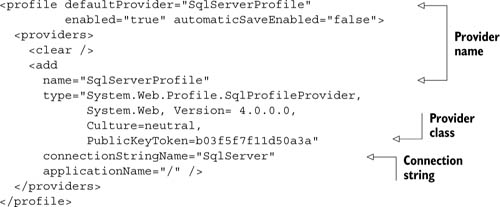
When you have a group of pages—or controls—and you need to specify the same configuration, merely getting them in sync by hand isn’t a feasible option: you probably couldn’t remember how many pages need to be kept in sync, and it’s not a task that can be shared by team members. For these reasons, ASP.NET supports cache profiles stored in web.config, and you can simply refer to them using the CacheProfile attribute on the aforementioned @OutputCache directive. You must include the following configuration under configuration\system.web\caching: