concept device in category c#

This is an excerpt from Manning's book Unity in Action: Multiplatform game development in C# with Unity 5.
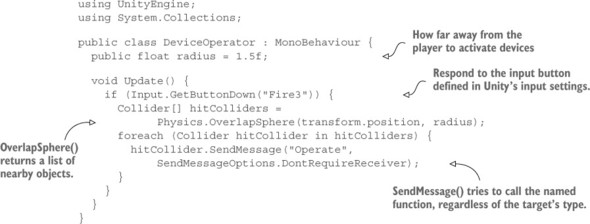
The majority of the script in this listing should look familiar, but a crucial new method is at the center of this code. First, establish a value for how far away to operate devices from. Then, in the Update() function, look for keyboard input; since the Jump key is already being used by the RelativeMovement script, this time we’ll respond to Fire3 (which is defined in the project’s input settings as the left Command key).
The ability to click on devices to operate them
This takes care of moving the player using mouse controls. Play the game to test it out. Next let’s make devices operate when clicked on.
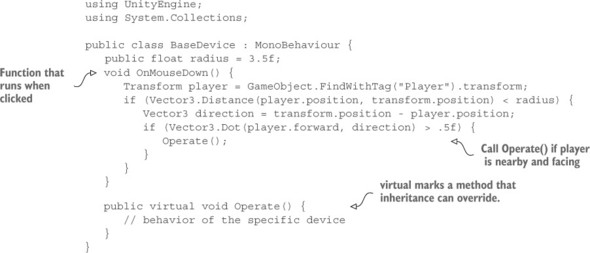
In chapter 8 (and here until we adjust the code), devices were operated by pressing a button. Instead, they should operate when clicked on. To do this, you’ll first create a base script that all devices will inherit from; the base script will have the mouse control, and devices will inherit that. Create a new script called BaseDevice and write the code from the following listing.
Most of this code happens inside OnMouseDown() because MonoBehaviour calls that method when the object is clicked on. First, it checks the distance to the player, and then it uses dot product to see if the player is facing the device. Operate() is an empty shell to be filled in by devices that inherit this script.