concept notification in category c#

This is an excerpt from Manning's book Windows Store App Development.
On the desktop, we’ve never had good enforced standards for notifications, for tile information (desktop gadgets maybe, task bar icon overlays, possibly), and for splash screens. Most applications implemented them any way they saw fit. Windows Store apps have good standards and frameworks for all of these things; that’s what this chapter is about. Figure 12.1 shows the things we’ll add to the PhotoBrowser app we’ve been working with for the past few chapters.
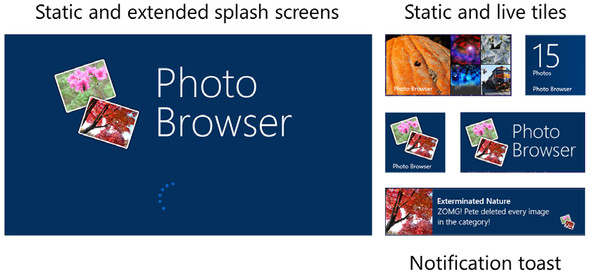
Queued live tile updates are sent to the system while the app is running but then handled entirely by the OS so that they can run while the app is closed. Notifications are a bit different in that they happen in real time, and the only way to update a notification while the app is closed is to use a server-side solution. Similarly, the only way to push live tile updates for a closed app (think of an app with new messages, tweets, or images) is to use a server-side component.
In this section you’ll write code to send notifications that cause the tiles to update with data from the app, all on the client. First, we’ll look at a simple text update to the small square tile. Then we’ll look at sending combined image and text notifications. Finally, you’ll learn how to queue up multiple local notifications to provide that nifty tile-flipping animation on the Start page.
Although supported, the square tile is not often used to show images. Instead, this is where the wide tile shines. Many of the notification templates support the use of images. Some of them allow you to use several images at once to create a collage. Images used in tile notifications must be 1024 x 1024 or smaller and less than 200 KB. Most of the images supplied with this sample, and any you might substitute, will either be larger resolution-wise or larger size-wise.

This is an excerpt from Manning's book Continuous Integration in .NET.
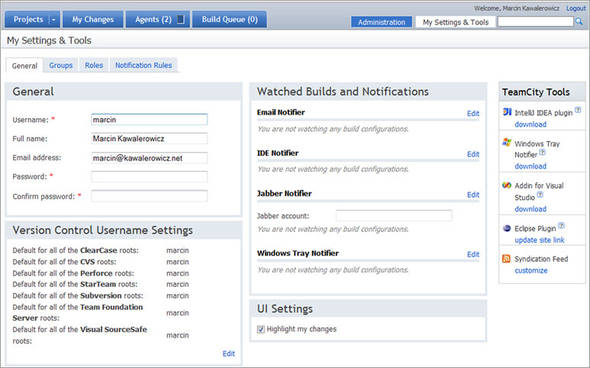
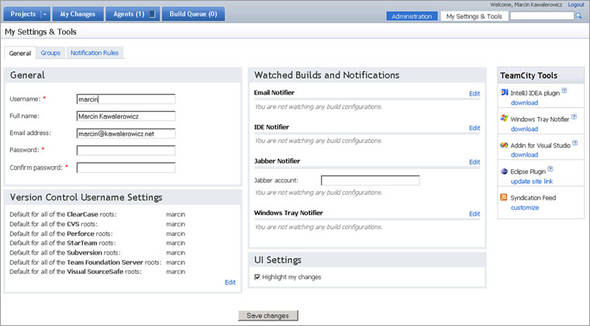
A build notification tells you the results of a build. Did it succeed? Did it fail? And if it failed, why? And which module caused the failure? CI servers have a rich notification repertoire. Windows tray icons, emails, instant messaging, and IDE plug-ins are just some of the possibilities. It’s a proof for the thesis that build notification is one of the most important parts of CI.