concept information in category camel

This is an excerpt from Manning's book Camel in Action.
pom.xml—Contains information necessary to build the examples. This is the Maven Project Object Model (POM) XML file.
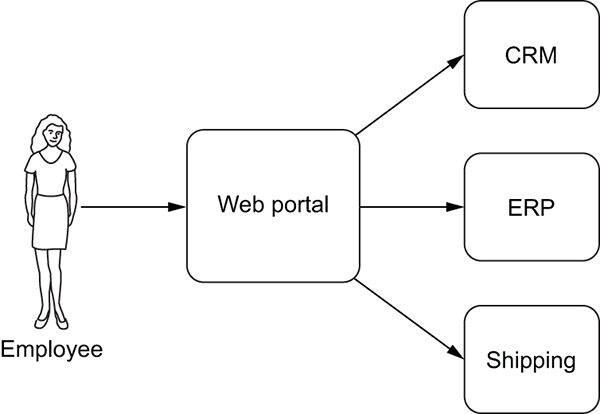
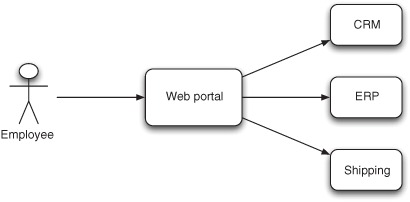
Figure 13.7 The web portal gathers information from three systems to compile the overview that’s presented to the employee.
The last tool we demonstrate can inspect running Camel applications and help you visualize the Camel routes with real-time metrics. It also provides management functionality that allows you to control your Camel applications—for example, starting and stopping routes. You’ll learn the secret of the Camel Catalog, which exposes a wealth of information about a Camel release that allows tooling to know everything there is to know about all the components, data formats, EIPs, and so on.
The catalog provides a wealth of information that tooling can tap into and use. For example, JBoss Fuse Tooling uses the catalog in the graphical editor to know all details about every EIP and component Camel supports. The IDEA Camel tooling does the same thing. For example, the Maven validation plugin covered in section 19.1.3 uses the catalog during validation of all the Camel endpoints found while scanning the source code.
The camel-catalog JAR includes the information using the following directory layout:
org └── apache └── camel └── catalog ├── archetypes (Maven archetype catalog) ├── components (JSON schema) ├── dataformats (JSON schema) ├── docs (Ascii and HTML) ├── languages (JSON schema) ├── models (JSON schema) ├── others (JSON schema) └── schemas (XML schema)Each directory contains files with the information. Every Camel component is included as JSON schema files in the components directory. For example, the Timer component is included in the file timer.json, as shown in the following listing.

This is an excerpt from Manning's book Camel in Action.
pom.xml—Contains information necessary to build the examples. This is the Maven Project Object Model (POM) XML file.
The Simple language provides a number of variables that bind to information in the current Exchange. You’ve already seen the body and header. Table A.1 lists all the variables available.