concept emulator in category cordova

This is an excerpt from Manning's book Apache Cordova in Action.
In chapter 1 you read how wonderful Cordova is because it lets you build mobile applications without having to learn how to develop natively. While that’s true, there are a few prerequisites you’ll need to set up before Cordova can wield its magic touch. Mobile software development kits (SDKs) are how native developers work with their platform of choice. Apple, Google, Microsoft, and other device manufacturers provide an SDK so that developers can create applications for their platform. Some are free. Some require registration. Some work on one platform but not on others. At the end of the day, the SDK is required to get your creation onto the device (or emulator) of your choice.
You begin by creating a project and then telling it which platforms you’ll be supporting. At that point you begin editing your web files (HTML, JavaScript, CSS) and sending them to an emulator (or a device) so you can see how they look (along with testing functionality, of course). In the next chapter we’ll slightly enhance this, but for now this gives you a high-level look at what the typical Cordova project process is like. Now let’s dig deeper.
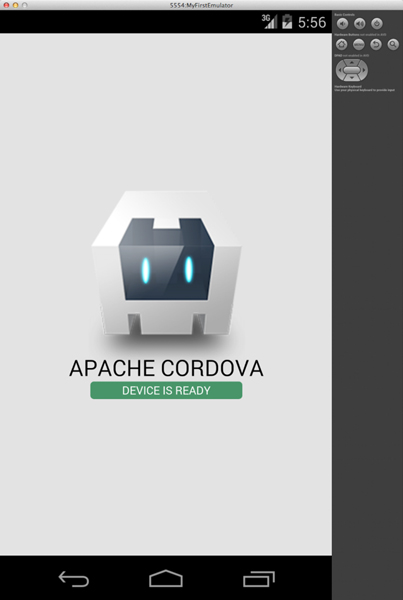
You’re almost there. Your desired result is the application running in the emulator, as shown in figure 3.10.
Luckily the last step is incredibly simple. Remember that you have a Cordova project. You also have specifically told it to add platform support for Android. The last step is to get the code onto a device or an emulator. The first step in doing this is to copy the files from the www folder into the appropriate platform folder:
Okay, finally, you’re ready to see this on the emulator! That’s one more command:
cordova emulateThat’s it. Like the previous commands, this will work on all platforms in your project. And guess what? You can skip the build command too! Yep—the emulate command is smart enough to do everything—it will prepare the platform, compile it, and send it to the emulator. If you’re wondering when you’d need the other commands, they’re useful for preparing the build for submission to the app stores, as well as working with native code. You don’t have to use native code, but Cordova lets you do things with the native code if you choose. Please give your first run a few minutes to complete.