concept dom in category d3

This is an excerpt from Manning's book D3.js in Action, Second Edition: Data visualization with JavaScript.
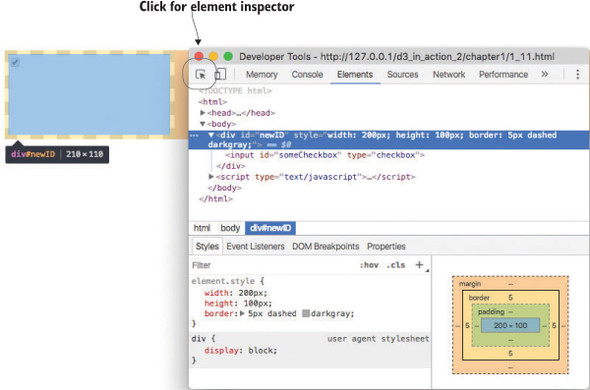
Listing 1.1. A simple web page demonstrating the DOM
<!doctype html> <html> <head> <script src="d3.v4.min.js"></script> #1 </head> #1 <body> #1 <div id="someDiv" style="width:200px;height:100px;border:black 1px solid;"> #2 <input id="someCheckbox" type="checkbox" /> #3 </div> </body> </html>Basic HTML like this follows the DOM. It defines a set of nested elements, starting with an <html> element with all its child elements and their child elements and so on. In this example, the <script> and <body> elements are children of the <html> element, and the <div> element is a child of the <body> element. The <script> element loads the D3 library here, or it can have inline JavaScript code, whereas any content in the <body> element shows up onscreen when you navigate to this page.
Because these visual elements and buttons are all living in the DOM, it’s important to know how to access and work with them both with D3 and using built-in JavaScript functionality.