concept browser in category data
This is an excerpt from Manning's book Mastering Large Datasets with Python: Parallelize and Distribute Your Python Code.
We’ll start with learning how to store data in S3 through the browser. The browser-based interface to S3 buckets offers some advantages over the programmatic SDK access we’ll look at later. In particular, the browser

This is an excerpt from Manning's book Data Wrangling with JavaScript.
Table 1.1 Reasons for using JavaScript for data wrangling
Reason Details You already know JavaScript. Why learn another language for working with data? (Assuming you already know JavaScript.) JavaScript is a capable language. It’s used to build all manner of complex applications. Exploratory coding. Using a prototyping process with live reload (discussed in chapter 5) is a powerful way to write applications using JavaScript. Strong visualization ecosystem. Python programmers often end up in JavaScript to use its many visualization libraries, including D3, possibly the most sophisticated visualization library. We’ll explore visualization in chapters 10 and 13. Generally strong ecosystem. JavaScript has one of the strongest user-driven ecosystems. Throughout the book we’ll use many third-party tools, and I encourage you to explore further to build out your own toolkit. JavaScript is everywhere. JavaScript is in the browser, on the server, on the desktop, on mobile devices, and even on embedded devices. JavaScript is easy to learn. JavaScript is renowned for being easy to get started with. Perhaps it’s hard to master, but that’s also true of any programming language. JavaScript programmers are easy to find. In case you need to hire someone, JavaScript programmers are everywhere. JavaScript is evolving. The language continues to get safer, more reliable, and more convenient. It’s refined with each successive version of the ECMAScript standard. JavaScript and JSON go hand in hand. The JSON data format, the data format of the web, evolved from JavaScript. JavaScript has built-in tools for working with JSON as do many third-party tools and libraries.
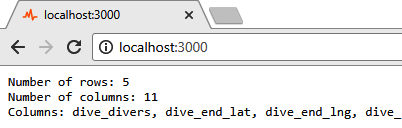
Figure 2.10 Generating a basic report on the server and displaying it in the browser
My coding setup for this section is shown in figure 5.22. On the left is the visualization code that we’re developing. On the right is the browser that displays our web page. As we work on the left, our visualization is automatically refreshed by live-server on the right to display the updated results.
Now that we have jQuery installed, we can include it in our web page so that we can use its
getfunction to retrieve our CSV file trend_output.csv that was generated earlier using HTTP GET (shown in the following listing). As we modify our code, live-server detects the changes and refreshes the web page, so we can sit back, code, and watch the browser automatically refresh to run our latest code.Listing 5.14 Using HTTP GET to retrieve the data from your CSV file (listing-5.14.html)
<!doctype html>
<html lang="en">
    <head>
        <title>My prototype web page</title>
    </head>
    <body>
 <script src="/bower_components/jquery/dist/jquery.min.js"></script>    #1

        <script>
 $.get("./output/trend_output.csv")    #2
                .then(response => {
 console.log(response);    #3
                })
                .catch(err => {
                    console.error(err && err.stack || err);
                })
        </script>
    </body>
</html>

#1   Adds jQuery to your web page
#2   Uses jQuery’s get function to retrieve our CSV file from live-server using HTTP GET
#3   Prints the loaded data to the Chrome devtools console so that we can check we got the data okay
We’re still doing evolutionary coding here. We’re doing one small thing at a time and testing as we go. Remember that we’re aiming to move from working code to working code in small manageable increments. The code in listing 5.14 outputs our data to the browser’s console. We do this to check that our code in the browser has received the data correctly.