concept virtual machine in category data

This is an excerpt from Manning's book Build a Career in Data Science.
Enterprise servers are generally machines that are both extremely powerful and extremely expensive. It rarely makes sense to have one of these powerful machines devoted to a single task, because for most tasks, that would be overkill. Instead, the server will be doing many tasks at the same time, but it would be catastrophic for one task to crash the computer and then cause unrelated tasks to crash too. Virtual machines are a solution to this problem because they are simulations of computers. The large, expensive computer will run many simulations of other computers at the same time. If one simulation crashes, it’s no problem; the other ones keep working. A virtual machine can, in almost all cases, be treated exactly the same as a regular computer; if you log into one, you can’t tell that’s a virtual machine unless you’re looking for it. Every time you use AWS, Azure, or GCP to access a computer, you’re connecting to a virtual machine. If you ask your IT department to get a server for you, they’ll likely make you an on-premises virtual machine as well.
Virtual machines are great because they’re simulations: you can easily turn them on or off. You can also take snapshots so that you can go back to an earlier version or have many copies running at the same time. You can share a snapshot with someone else, and they can run it too. Or you can close your eyes and pretend that the virtual machine is a regular old laptop and generally be fine (assuming that you use your laptop with your eyes closed).
Because a virtual machine is a regular computer, the simplest way to deploy your code to the machine is to install R or Python, install the libraries you need, copy your code to it, and then run your code. These steps are the same ones you’ll use to get your API running on your laptop! If you want to make changes to the API, just copy the newer version of the code to the virtual machine and then run your code. It really is the case that you can get a system into production by following only these steps:
Start a virtual machine.

This is an excerpt from Manning's book Data Wrangling with JavaScript.
Vagrant is an open source software product for building and running virtual machines. You can use it to simulate a production environment or test your code on various operating systems. It’s also a great way to try out new software in an environment that’s isolated from your development workstation.
Listing 3.16 Importing largest earthquakes table from MySQL (listing-3.16.js)
const importFromMySql = require('./toolkit/importFromMySql.js');    #1
const mysql = require('nodejs-mysql').default;

const config = {    #2
 host: "localhost",    #2
 port: 5000,    #3
 user: "root",    #2
 password: "root",    #2
 database: "earthquakes",    #4
 dateStrings: true,    #2
 debug: true    #2
};    #2

const db = mysql.getInstance(config);    #5

return importFromMySql(db, "largest_earthquakes")    #6
 .then(data => {    #7
 console.log(data);    #7
 })    #7
 .catch(err => {    #8
 console.error(err);    #8
 });    #8

#1   Requires our toolkit function to import data from a MySQL database
#2   Configures the connection to the MySQL earthquakes database
#3   Connects to the database on port 5000; this is mapped to the MySQL database running in the virtual machine.
#4   Specifies the name of the database to connect to
#5   Connects to the database
#6   Uses the toolkit function to import data from the largest_earthquakes table
#7   Prints imported data to the console to check it's okay
#8   Handles any errors that might have occurred
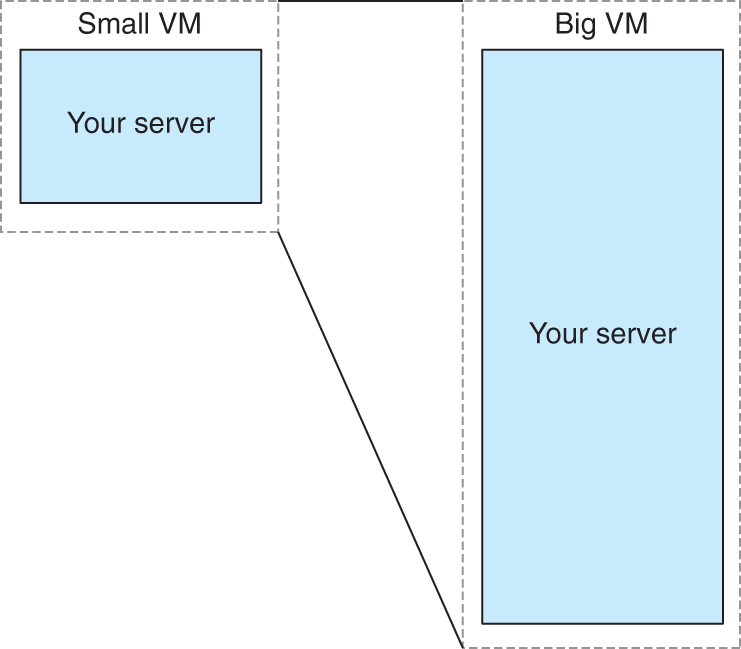
Figure 14.21 You can scale your server up by increasing the size of the virtual machine that hosts it.