concept update in category docker

This is an excerpt from Manning's book Learn Docker in a Month of Lunches.
Containers are a perfect runtime for stateless applications. You can meet increased demand by running multiple containers on your cluster, knowing that every container will handle requests in the same way. You can release updates with an automated rolling upgrade, which keeps your app online the whole time.
This deployment uses the original application images, which don’t have any health checks, and this is the app where the API has a bug that means it stops working after a few calls. You can browse to http: / / localhost (or from an external machine with Windows containers), and you can request lots of random numbers because the calls are load-balanced between six API service replicas. Eventually they’ll all break, and then the app will stop working and won’t ever repair itself--the cluster doesn’t replace containers because it doesn’t know they’re unhealthy. That’s not a safe position to be in, because if you roll out an updated version without any health checks, the cluster won’t know if the update has been successful either.
This deployment updates both the web and API services to version 2 of their images. Service updates are always done as a staged rollout, and the default is to stop existing containers before starting new ones. This makes sense for global services that are using host-mode ports, because the new container can’t start until the old one exits and frees up the port. It might make sense for replicated services too, if your application expects a maximum level of scale, but you need to be aware that during the update the services will be under capacity while old containers are shut down and replacements are starting up. You can see that behavior in figure 14.3.
Figure 14.3 Deploying a service update with default configuration--one replica is updated at a time.
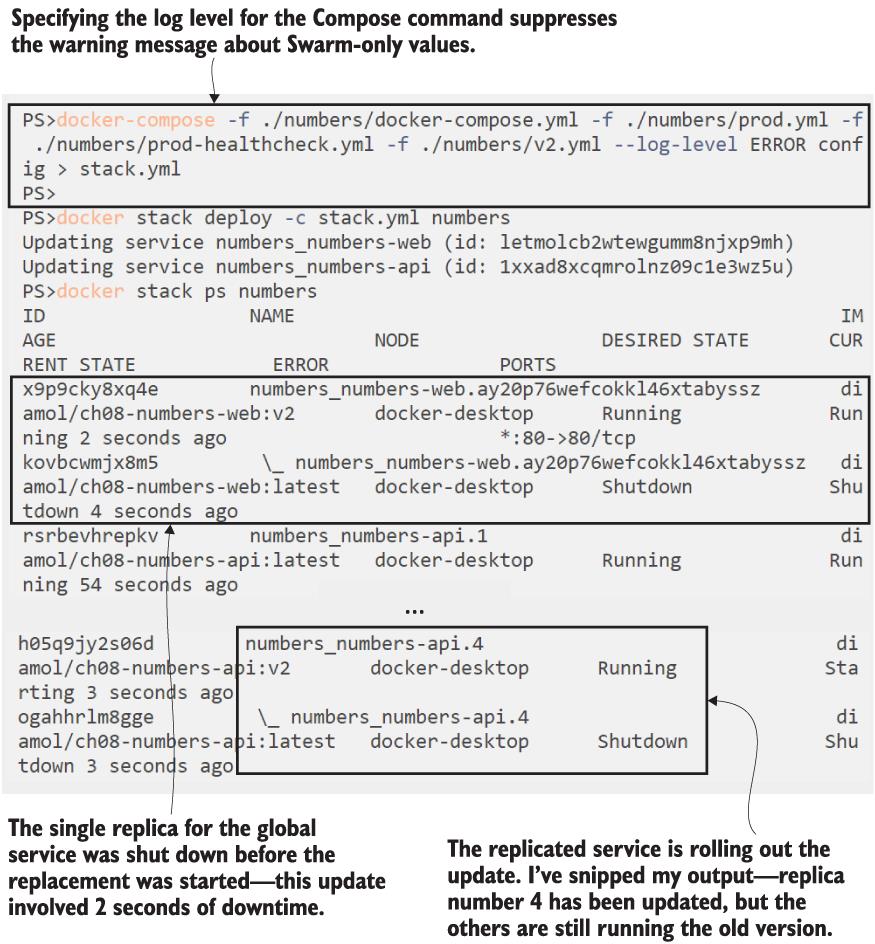
Docker Swarm uses cautious defaults for the rollout of service updates. It updates one replica at a time and ensures the container starts correctly before moving on to the next replica. Services roll out by stopping existing containers before starting replacements, and if the update fails because new containers don’t start correctly, the rollout is paused. That all seems reasonable when it’s presented with an authoritative tone in a book, but actually it’s pretty strange. Why default to removing old containers before starting new ones, when you don’t know if the new ones will work? Why pause a failed rollout, which could leave you with a half-broken system, instead of rolling back automatically? Fortunately the rollout can be configured with more sensible options.
# join lots of Compose files together
 docker-compose -f ./numbers/docker-compose.yml -f ./numbers/prod.yml -f ./numbers/prod-healthcheck.yml -f ./numbers/prod-update-config.yml -f ./numbers/v5-bad.yml config > stack.yml

 # deploy the update:
 docker stack deploy -c stack.yml numbers

 # wait for a minute and check the service status:
 docker service inspect --pretty numbers_numbers-api