concept route in category ember

This is an excerpt from Manning's book Ember.js in Action.
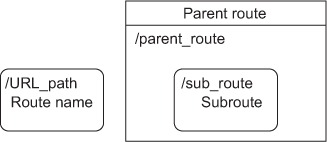
Looking back at figure 1.7, you can see that the Notes application can be in one of two logical states; the list of notes at the left of the application window represents one state, and the selected note’s content at the right represents the second state. In addition, the selected note’s state is dependent on the selection made in the list at the left. Based on this, you can split the application up into two routes. Name the initial route notes. Once a user selects a route, the application transitions to the second route, which you’ll name notes.note.
This chapter examined one strategy for creating Create, Read, Update, and Delete (CRUD) functionality in your Ember.js application. This approach is similar to the CRUD operations of any rich web application, but it’s adapted to fit into the Ember.js lifecycle. Because Ember.js might issue calls to the find() method before findAll(), depending on the route through which the user enters the application, it helps to implement an identity map inside the application to minimize the number of Ajax calls that you issue to the server.