concept comment in category flex

This is an excerpt from Manning's book Flex on Java.
Let’s start with Issue.java as seen in listing 2.3. For the FlexBugs application you need something to store issues and comments. An issue describes something that needs fixing to meet a requirement. This could be a bug, a new feature, a refactor, or an optimization. A single issue can have many comments so a relationship is built between the issue and comment objects.
Next you add another method to the CommentModel to call the web service and save a comment.
Listing 4.17. CommentModel.as
... public function saveComment(comment:Comment, responder:IResponder):void { var token:AsyncToken = _commentService.save(comment); token.addResponder(responder); } ...Listing 4.17 shows the method you add to the CommentModel to save comments. This method is just like every other call we’ve made to the WebService. It delegates the call to the web service and adds a responder to the token so the application can react when the result comes back from the asynchronous call to the web service.
Once again you’re leveraging get and set properties in this Presenter, using the set property to trigger whether or not certain elements of the view should be enabled. You start by creating a get property for the currently selected issue
, and in its corresponding set property
, you determine whether or not to enable the Add Comments button based on whether or not the currently selected issue’s id property is greater than zero, indicating it has been saved. You do this to make sure that the user can’t save a comment for an Issue that has not been persisted to the backend previously. You create a get property for the currently selected comment
as well as a set property for the selected comment
. Similar to the last set property, you use this opportunity to enable or disable the Edit Comment and Delete Comment buttons based on whether or not there is a comment selected in the List component containing the comments.
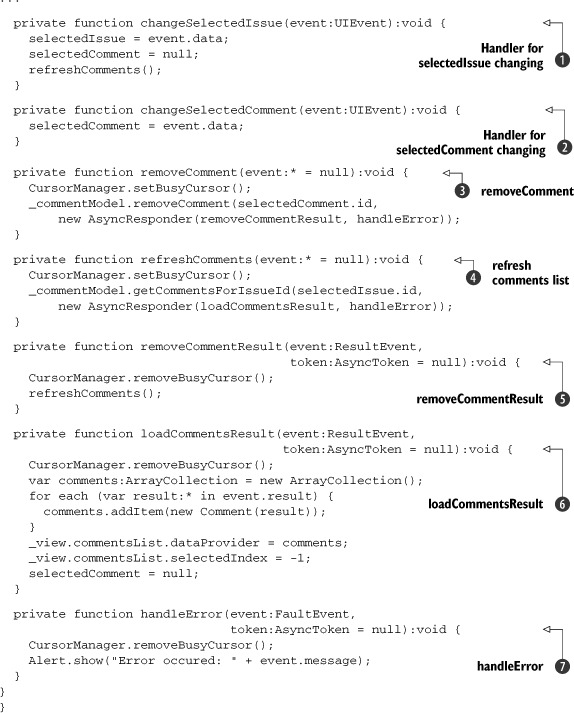
Listing 4.13 shows the rest of the code for the CommentsListPresenter. First you define a method to handle changes to the selected issue
, where you set the selected issue from the data passed along in the event. You then set the selected comment to null, and refresh the list of comments to be displayed. When someone clicks on a comment in the List view of the CommentsView, the selectedCommentChanged
method will be called, where you set the selected comment to the comment in the incoming event.
The next method you define handles the user clicking the Remove Comment button
. You first tell the CursorManager to set the busy cursor, as you did earlier in the other Presenters. Then you make a call to the CommentModel to remove the selected comment. When the result comes back
To refresh the list of comments you created a function called refreshComments