concept Flash Builder in category flex
This is an excerpt from Manning's book Hello! Flex 4.
Let’s begin by downloading Flash Builder 4. Currently it’s available at http://labs.adobe.com/technologies/flashbuilder4/; once the final release of Flex 4 is made, this URL will change and you’ll find the new URL on Adobe.com easily enough (hint: Google). A trial version is available that should last long enough for you to follow along with this book. Download the stand-alone version, not the Eclipse plug-in version, if you want to follow along with the book verbatim.

Flash Builder is Adobe’s Eclipse-based IDE for building Flex applications. However, you can also do Flex development using the Flex Software Development Kit (SDK) without Flash Builder: just use your favorite text editor and the command-line compiler that comes with the SDK. This book won’t go into how to do that, since most people will end up using Flash Builder.
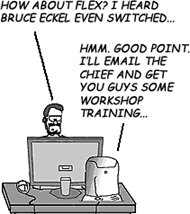
Should I use Flash Builder Or JUST the Flex SDK?
While the SDK is free, using it isn’t as easy as using Flash Builder. So, even if you plan to use the SDK, I recommend using Flash Builder to learn Flex: not only do you get to defer your decision long enough to finish the book (during which time you may decide you like Flash Builder enough to pay for it), you’ll also learn Flex faster with Flash Builder providing code-completion support and the design mode, which lets you drag and drop Flex components to lay out a UI.