concept master view in category flex

This is an excerpt from Manning's book Flex on Java.
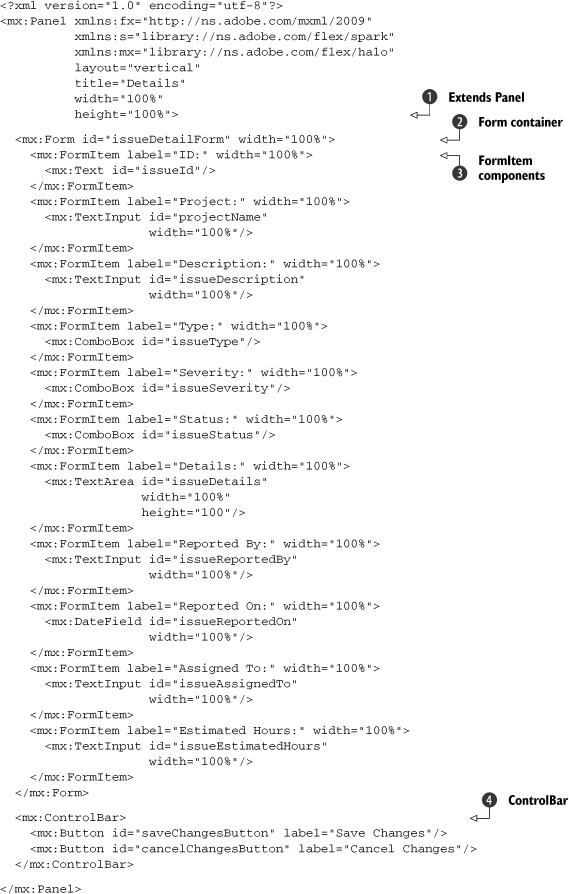
Next we’re going to develop the detail view, where you will allow the users of the application to modify the data fields for the issues displayed in the master view. DetailView has a form containing the fields that can be updated for the issues in the application. Begin just as you did earlier for the master view, by creating a file named DetailView.mxml in the org/foj/view folder. The following listing shows the code we’ll be adding to that file.
Similar to the master view, the details view component will be based off of the Panel layout container
. Add a Form
container to help organize the input fields that will be used to ultimately update the issues in the application. Unlike in HTML, the Form container in the Flex framework serves no other purpose than to group form controls on the page. You do not need to wrap fields in a Form tag to submit data to the backend; it’s there for aesthetics. Inside the Form wrap each input field inside of a FormItem
component that provides styling, a label, and layout for each of the form fields. A ControlBar
contains the buttons that control saving the data and canceling the edits.
The first part of the application that you’ll be enhancing is the master view. You’ll start by creating the Presenter for the master view. Then you’ll create the Issues model, which will encapsulate the interaction with the web services you created in chapter 1. When you’re done, update the view to dispatch the necessary events to function properly.