concept git commit in category git

This is an excerpt from Manning's book Learn Git in a Month of Lunches - corrected 9112019.
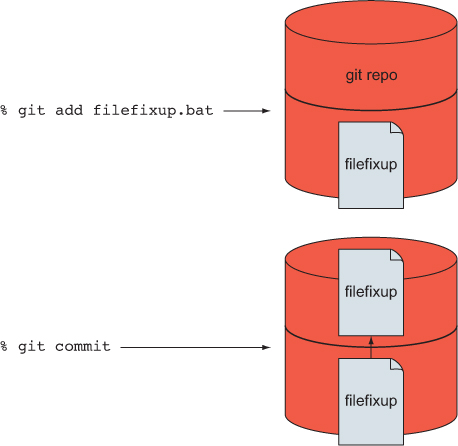
To create a timeline event, you have to commit the file to the repository, using git commit. The commit step is what stores the file and records a timeline entry in the repository. Remember, this whole time you’ve been working on the file in the working directory, and the only thing Git has been doing is tracking it. Let’s run git commit in the following TRY IT NOW exercise.
You first see the SHA1 ID when you use git commit. Every time you run the git commit command, it displays a status message and a new SHA1 ID. The git commit output in the following listing shows an abbreviated SHA1 ID: 96bfa4e.

This is an excerpt from Manning's book Git in Practice.
After you’ve added changes for GitInPractice.asciidoc to the index staging area with git add, they will be used in the next commit. After these changes to GitInPractice.asciidoc have been committed with git commit (introduced in technique 2), if you wish to add more changes to GitInPractice.asciidoc you’ll need to run git add GitInPractice.asciidoc again. This is because, unlike in some version control systems, git add is used both to initially add a file to the Git repository and to request that changes to the file be used in the next commit.