concept image in category grails
appears as: images, image, image, n image

This is an excerpt from Manning's book Grails in Action, Second Edition.
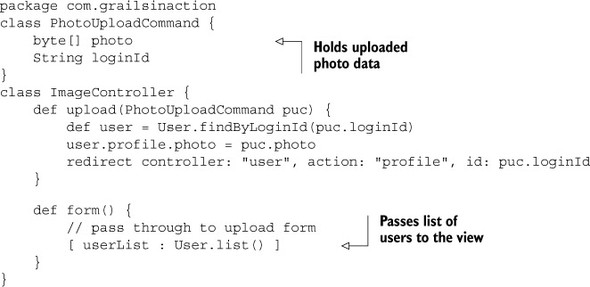
You’ll start by creating an ImageController to handle image uploading and rendering:
grails create-controller com.grailsinaction.ImageYou have two ways to handle file uploads in a controller, and the one you select depends on what you want to accomplish. If you want to store the image in a domain class, your best option is to use a command object. The following listing shows how to use a command object for photo uploads. We look at storing images on the filesystem in the next subsection.
The upload process for images using a command object binds the uploaded image data to a byte array.