concept case expression in category idris
appears as: case expression, The case expression, case expressions

This is an excerpt from Manning's book Type-Driven Development with Idris.
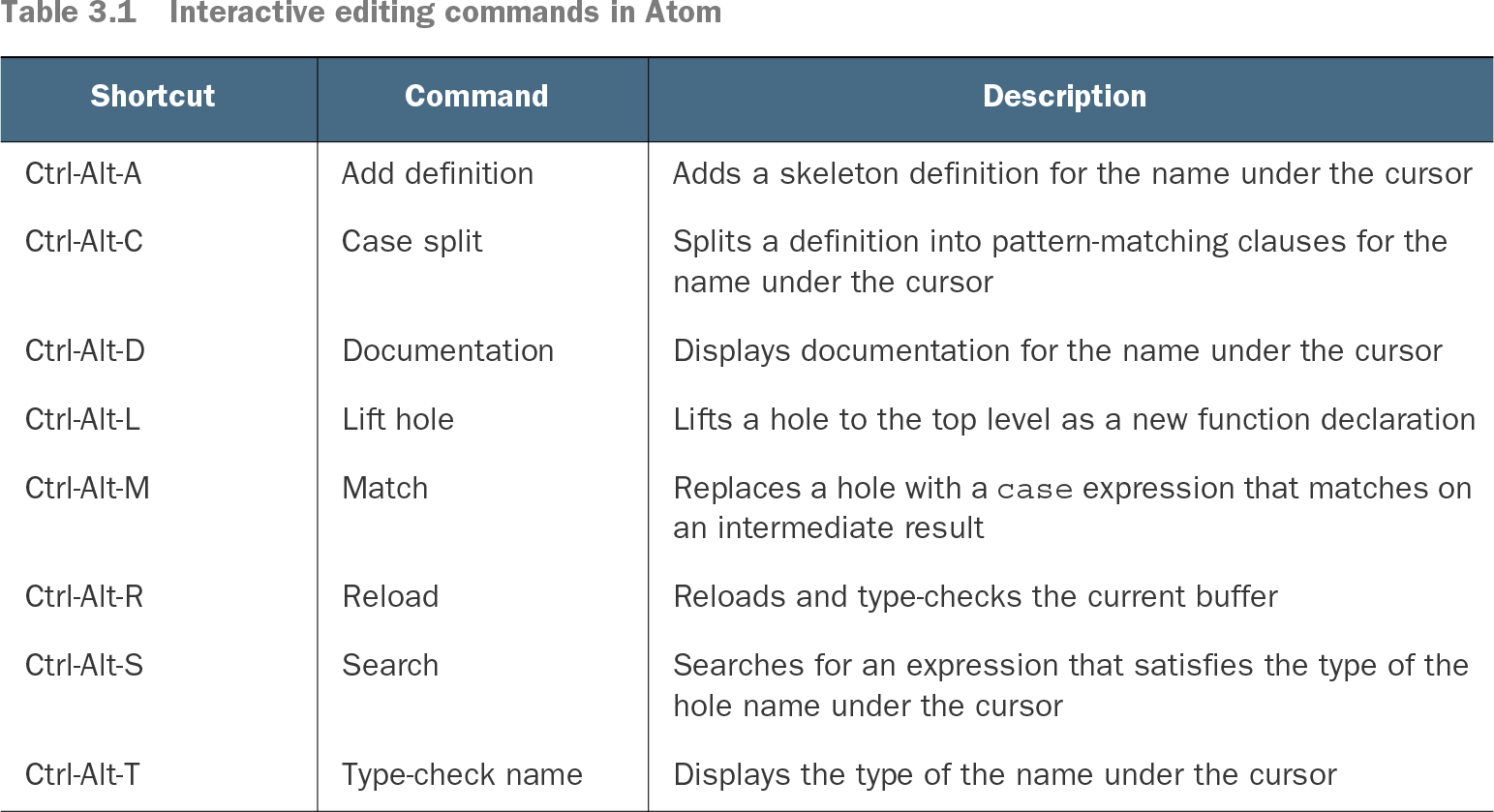
Table 3.1. Interactive editing commands in Atom (view table figure)
Shortcut
Command
Description
Ctrl-Alt-A Add definition Adds a skeleton definition for the name under the cursor Ctrl-Alt-C Case split Splits a definition into pattern-matching clauses for the name under the cursor Ctrl-Alt-D Documentation Displays documentation for the name under the cursor Ctrl-Alt-L Lift hole Lifts a hole to the top level as a new function declaration Ctrl-Alt-M Match Replaces a hole with a case expression that matches on an intermediate result Ctrl-Alt-R Reload Reloads and type-checks the current buffer Ctrl-Alt-S Search Searches for an expression that satisfies the type of the hole name under the cursor Ctrl-Alt-T Type-check name Displays the type of the name under the cursor
Refine— Remember that when Idris generates a case expression, it leaves an underscore in place of the value the case expression will branch on. You’ll need to fill this in before the program will compile. You can compute the argument type from the input isInt: valToString : (isInt : Bool) -> (case isInt of case_val => ?argType) -> String valToString False y = ?valToString_rhs_1 valToString True y = ?valToString_rhs_2