concept camera plugin in category ionic

This is an excerpt from Manning's book Ionic in Action: Hybrid Mobile Apps with Ionic and AngularJS.
Some features aren’t available in the emulator, or may behave slightly differently. Because emulators are only virtual devices, some of the physical device abilities aren’t easily reproduced virtually. For example, on iOS there’s no way to use the camera plugin in the emulator.
Listing 8.5. Photo book controller with camera plugin (www/views/photos/photos.js)
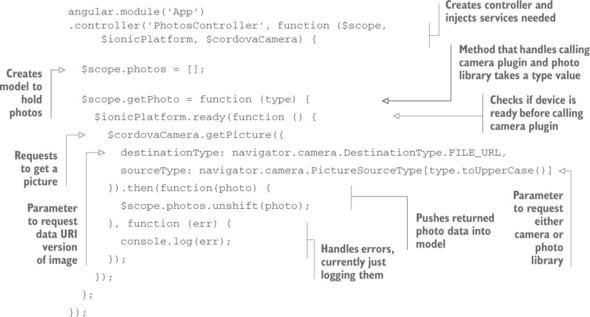
This controller now has the ability to request images from the camera or existing images from the library. First, create the controller and inject the $ionicPlatform and $cordovaCamera services so the app can use the camera. $cordovaCamera is provided by ngCordova to access the camera. After setting up an empty model for the photos, the getPhoto() method takes care of calling the camera plugin. It first checks if the device is ready, and then calls the camera getPicture() method.
You need to first add the camera plugin, and you’ll also use ngCordova again. Here are the commands to install the plugin and ngCordova:
ionic plugin add org.apache.cordova.camera
ionic add ngCordova
Once the camera plugin and ngCordova have finished installing, add ngCordova to the Angular application. Add the </script> tag to the index.html file after the Ionic bundle file: