concept new event in category ios

This is an excerpt from Manning's book iOS 4 in Action: Developing iPhone and iPad Apps.
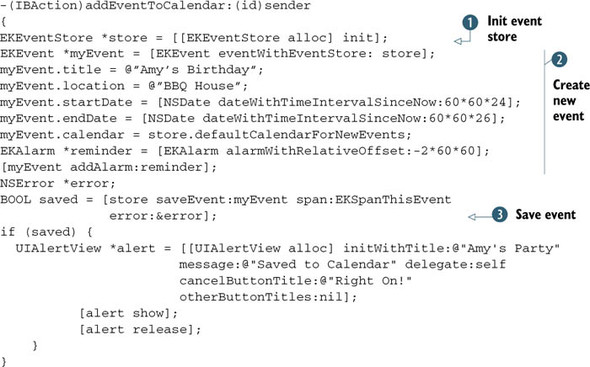
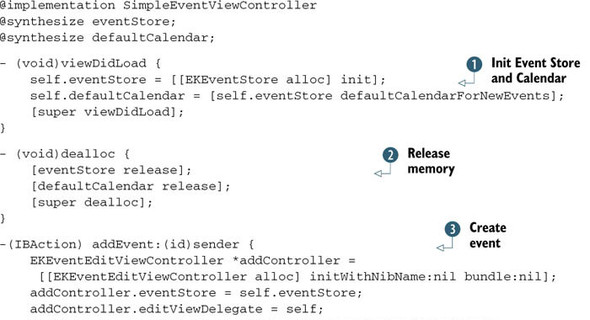
The access to Calendar’s database is done by a few lines of code. You initialize the event store [[EKEventStore alloc] init] and define Calendar for data access [self.eventStore defaultCalendarForNewEvents]
. As mentioned earlier, it’s a good practice to keep one event store around for all the data access. dealloc
reminds you to release the memory when the view controller is released. The new thing you learned for using Event Edit view controller is all in addEvent
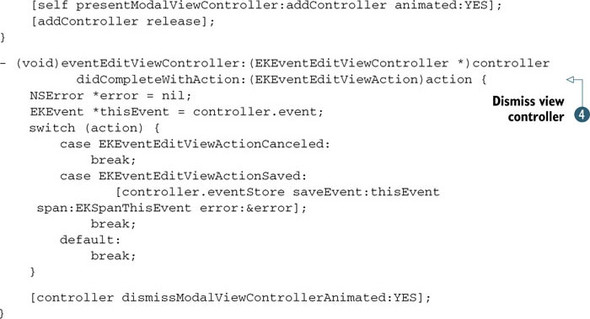
and the delegate method -(void)eventEditViewController:(EKEventEditViewController *)controller didCompleteWithAction:(EKEventEditViewAction)action
. You define the Event Edit view controller’s event store and delegate and then present the modal view controller [self presentModalViewController:addControlleranimated:YES]
Now let’s build and run it. When the application launches, click the Add button to present the Event Edit view controller. As you can see in figure 16.6, the new event’s Title, Location, Starts, Ends, Repeat, and Alert options are editable.
Congrats! You just created a new event and saved it successfully to the local Calendar with the Event Kit UI framework! Now let’s talk about how to fetch the existing events from the Calendar’s database.