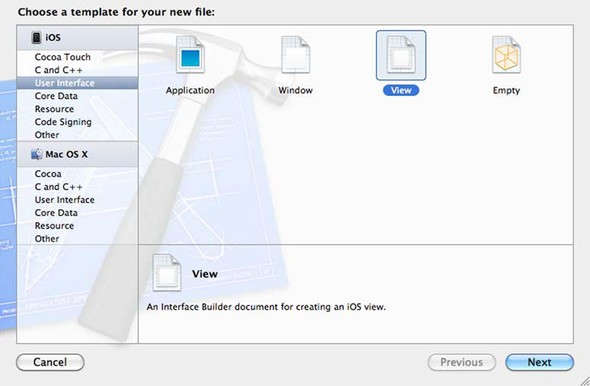
concept new nib file in category ios

This is an excerpt from Manning's book iOS 4 in Action: Developing iPhone and iPad Apps.
In the last section, you built your first UIView subclass: the LabeledWebview class. You’ll be building a lot more subclasses in your application development, and you’ll often want to use Interface Builder to create a new nib file so you can connect outlets and actions to the object directly. Additionally, you don’t need to crunch numbers for each subview’s size because Interface Builder provides a visual design experience. How do you create a new nib file in Interface Builder? We’ll cover the details in this section.
To create a new nib file under Xcode, navigate to the menu under Xcode, and choose File > New File to begin. Select User Interface under the template prompt window, as shown in figure 4.4.