concept UICollectionViewController in category ios

This is an excerpt from Manning's book iOS 7 in Action.
To be able to display anything within a collection view, the view needs to be told what it should display. You’re going to be adding a new scene to the storyboard within your Albums application that will be shown when someone taps an album they want to view. This scene will contain the collection view you’ll be using to display photos within a particular album. After setting up this scene within your Albums application using a UICollectionViewController, you’ll populate it with the data it should display.
When you tap an album you’ll need to segue to a new scene that shows all of its photos. You’ll be creating a UICollectionViewController subclass to handle this for you.
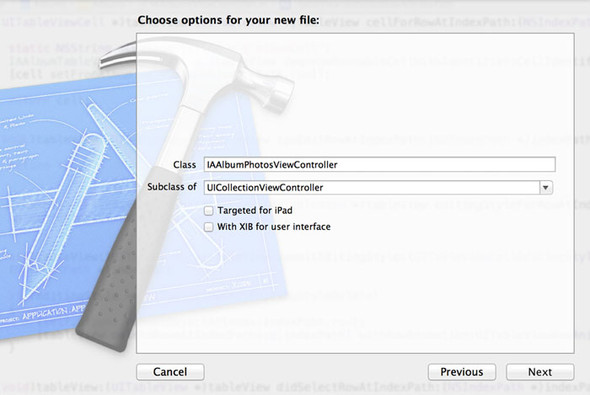
To get started, jump back into Xcode and open the Albums project. Within the project navigator, create a new file within the Albums group. Choose Objective-C class as the file template, and then click Next. Let’s call this new class IAAlbumPhotosViewController and make it a subclass of UICollectionViewController, as shown in figure 5.5.