concept field in category itext

This is an excerpt from Manning's book iText in Action, Second Edition.
This definition tells us that fields and widget annotations are two different types of objects. A field is an entry in a form; a widget annotation is its visual representation. However,
As a convenience, when a field has only a single associated widget annotation, the contents of the field dictionary and the annotation dictionary may be merged into a single dictionary containing entries that pertain to both a field and an annotation.
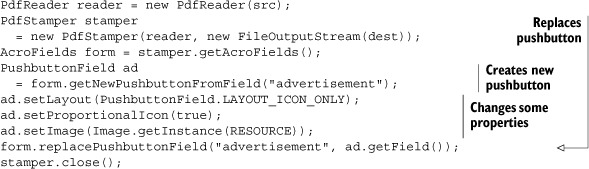
The AcroFields class you use to fill out fields also has a getNewPushbuttonFrom-Field() method. With this method, you can obtain a new PushbuttonField object with the same properties as an existing button in the form. After changing the properties of this object, you can replace the existing button with the new, altered one using replacePushbuttonField().
You’ll create more buttons in chapter 9, where you’ll learn how to submit the content of a form to a server. For now, let’s continue our overview of the different types of fields.
You’ve already filled out text fields programmatically in section 6.3.5, but now you’ll see not only how to change the value of a field, but also its properties.
Listing 8.8. TextFields.java
PdfReader reader = new PdfReader(src); PdfStamper stamper = new PdfStamper(reader, new FileOutputStream(dest)); AcroFields form = stamper.getAcroFields(); System.out.println(form.getField("text_4")); form.setField("text_1", "Bruno Lowagie"); form.setFieldProperty("text_2", "fflags", 0, null); form.setFieldProperty("text_2", "bordercolor", BaseColor.RED, null); form.setField("text_2", "bruno"); form.setFieldProperty("text_3", "clrfflags", TextField.PASSWORD, null); form.setFieldProperty("text_3", "setflags", PdfAnnotation.FLAGS_PRINT, null); form.setField("text_3", "12345678", "xxxxxxxx"); form.setFieldProperty("text_4", "textsize", new Float(12), null); form.regenerateField("text_4"); stamper.close();You can retrieve the value of a field from an existing form with the getField() method. In previous examples, you’ve used the setField() method to change this value. Up until now, you’ve only used this method with two parameters: fieldname and value.
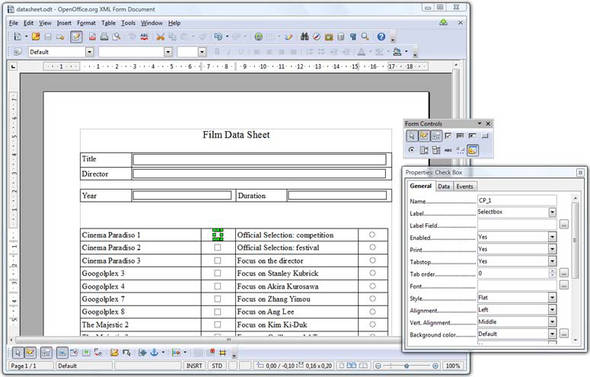
In section 6.3.5, you created a template using Open Office. The fields were used as placeholders; once they were filled in, you were no longer interested in the form. You didn’t have the intention to change the data. With the setFormFlattening() method, you threw away the internal form structure. Only the content of the fields was kept; it was added at the absolute positions defined in the template. You won’t want this to happen if you’re going to use iText to prefill a form, but you may want to make part of the form read-only.