concept PdfStamper in category itext

This is an excerpt from Manning's book iText in Action, Second Edition.
Up until now, we’ve created new documents using the five steps in the iText document-creation process. In this chapter we’ll add content to an existing document using PdfStamper.
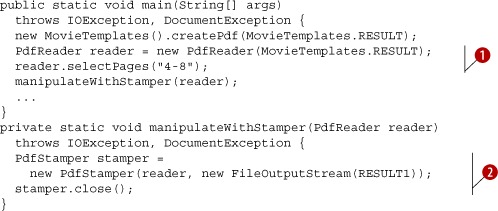
PdfStamper uses a different mechanism, as demonstrated in the manipulateWithStamper() method.
You’ve already seen part of this example in listing 6.3. It’s an example that creates a new PDF document containing only a selection of pages from the original document. In
, you create a PdfReader that will read the 8 pages of the timetable PDF, but you immediately tell the reader that you’re only interested in pages 4 to 8. In
, you create a PdfStamper object. As soon as you close the stamper, a new document will be created. It will contain only 5 pages. You can add content between the constructor and the close() method.