concept hyperlinks in category java

This is an excerpt from Manning's book Portlets in Action.
You may have noticed that the hyperlinks in figure 3.2 aren’t underlined and their colors are also different. We’ll be using CSS to specify the color and effects for hyperlinks in our portlet.
Because you can use filters to modify responses generated by the portlet, you can use a filter to convert text in the response to hyperlinks. In the Book Catalog portlet, the titles of the books contain the name of the technology (or tool or framework) that the book discusses. You can use a filter to convert the name of the technology in the book title to a hyperlink that opens the official website or Wikipedia page for that technology. For instance, if the title of the book is Portlets in Action, the filter could convert the word “Portlets” in the book title to a hyperlink that refers to the Wikipedia page for portlet technology.
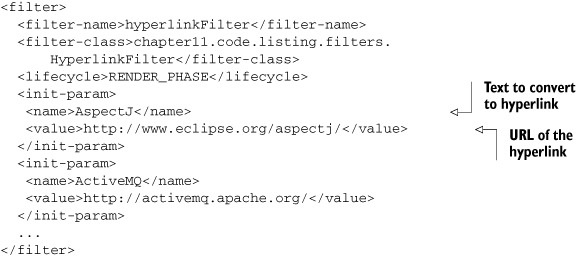
The HyperlinkFilter configuration in the portlet.xml file defines initialization parameters specifying the names of technologies and the hyperlinks to which they should be converted when they’re found in the response, as shown next.
HyperlinkFilter searches the response data for the initialization parameter names and replaces them with hyperlinks specified by the initialization parameter value. The following listing shows how HyperlinkFilter makes use of the CharResponseWrapper to convert names of technologies in book titles to hyperlinks.