concept WidgetWindow in category java

This is an excerpt from Manning's book Swt/Jface in Action: GUI Design with Eclipse 3.0.
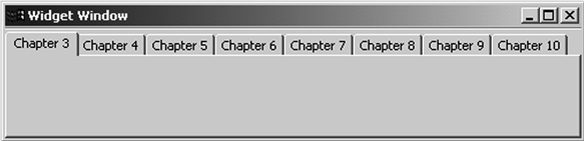
So, we’ve opted for a simple application that incorporates as many GUI elements as possible while minimizing the amount of code. We feel that a TabFolder object (described in chapter 3) will be the clearest manner of presenting the information in this book. Then, with each following chapter, we’ll add a new tab whose contents show the chapter’s subject. The fully designed application is shown in figure 1.4. Not the savviest at marketing, we call it the WidgetWindow.
Figure 1.4. The WidgetWindow application. This overarching project will incorporate all the GUI and graphical elements presented in this book.
Development of the WidgetWindow application serves a number of purposes. Of course, it provides a single application for integrating the different components within the SWT and JFace libraries. But it also gives you a repository of reusable SWT/JFace code. Because it’s a single project with multiple classes, as opposed to multiple projects with single classes, the WidgetWindow will ensure that you can reuse each part for your own user interfaces.
This chapter will also begin adding code to the WidgetWindow project. This is a graphical interface that will combine all the SWT and JFace topics discussed in this book. We’ll build its frame here and update it in each chapter that follows. Because each chapter adds to this application, we recommend that you follow its development closely.
To reduce the complexity of the WidgetWindow’s design, we decided to use both SWT and JFace. In this chapter, we’ll create the basic window, shown in listing 2.3. We strongly recommend that you add this class to your com.swtjface.Ch2 package.
Listing 2.3. WidgetWindow.java
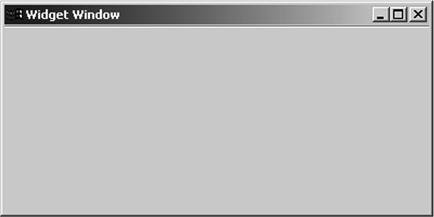
package com.swtjface.Ch2; import org.eclipse.swt.widgets.*; import org.eclipse.jface.window.*; public class WidgetWindow extends ApplicationWindow { public WidgetWindow() { super(null); } protected Control createContents(Composite parent) { getShell().setText("Widget Window"); parent.setSize(400,250); return parent; } public static void main(String[] args) { WidgetWindow wwin = new WidgetWindow(); wwin.setBlockOnOpen(true); wwin.open(); Display.getCurrent().dispose(); } }Figure 2.5 presents the unexciting but important output of the WidgetWindow class.