concept style sheet in category javascript
appears as: style sheet, The style sheet, style sheets

This is an excerpt from Manning's book Secrets of the JavaScript Ninja, Second Edition.
Listing 12.6. Examining the style property
<style> #A div { font-size: 1.8em; border: 0 solid gold; } </style> <div style="color:#000;" title="Ninja power!"> #B 忍者パワー </div> <script> document.addEventListener("DOMContentLoaded", () => { const div = document.querySelector("div"); assert(div.style.color === 'rgb(0, 0, 0)' || #C div.style.color === '#000', 'color was recorded'); assert(div.style.fontSize === '1.8em', #D 'fontSize was recorded'); assert(div.style.borderWidth === '0', #E 'borderWidth was recorded'); div.style.borderWidth = "4px"; #F assert(div.style.borderWidth === '4px', #G 'borderWidth was replaced'); }); </script> #A - Declares an in-page style sheet that applies font size and border information #B - This test element should receive multiple styles from various places, including its own style attribute and the style sheet. #C - Tests that the inlined color style was recorded #D - Tests that the inherited font size style was recorded #E - Tests that the inherited border width style was recorded #F - Replaces the border width style #G - Tests the border width style change was recorded !@%STYLE%@! {"css":"{\"css\": \"font-weight: bold;\"}","target":"[]"} !@%STYLE%@!
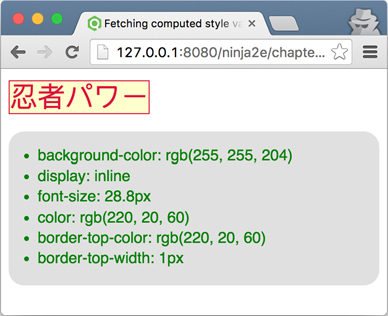
At any point in time, the computed style of an element is a combination of all the built-in styles provided by the browser, all the styles applied to it via style sheets, the element’s style attribute, and any manipulations of the style property by script. Figure 12.2 shows how browser developer tools differentiate between styles.