concept database in category kubernetes

This is an excerpt from Manning's book Learn Kubernetes in a Month of Lunches.
You can run pretty much any server software in Kubernetes, but that doesn’t mean you should. Storage components like databases are typical candidates for running outside of Kubernetes, especially if you’re deploying to the cloud and you can use a managed database service instead. Or you may be running in the datacenter and need to integrate with existing systems which won’t be migrating to Kubernetes. Whatever architecture you’re using, you can still use Kubernetes services for domain name resolution to components outside the cluster.
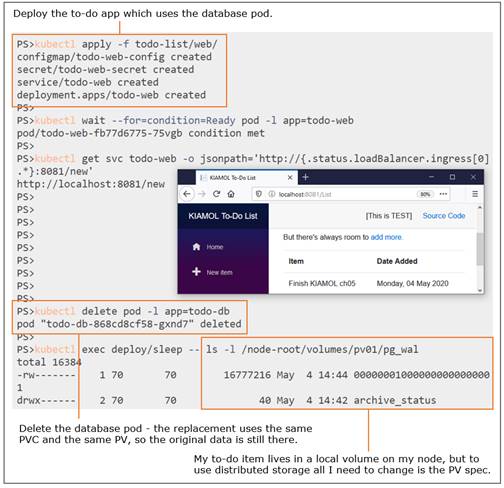
Figure 5.18 The storage abstractions mean the database gets persistent storage just by mounting a PVC
We'll show that with the to-do list application, with specifications that include liveness and readiness checks for the web application Pod and the database. The web probes use the same HTTP GET action we've already seen, but the database doesn’t have an HTTP endpoint we can use. Instead the spec uses the other types of probe action which Kubernetes supports - the TCP socket action, which checks that a port is open and listening for incoming traffic, and the exec action which runs a command inside the container. Listing 12.3 shows the probe setup.
listing 12.3 - todo-db.yaml, using TCP and command probes
spec:
  containers:
    - image: postgres:11.6-alpine
      # full spec includes environment config
      readinessProbe:
        tcpSocket:           # the readiness probe tests the
          port: 5432         # database is listening on the port
        periodSeconds: 5
      livenessProbe:         # the liveness probe runs a Postgres tool
        exec:                # which confirms the database is running
          command: ["pg_isready", "-h", "localhost"]
        periodSeconds: 10
        initialDelaySeconds: 10
# deploy the web and database:
kubectl apply -f todo-list/db/ -f todo-list/web/

# wait for the app to be ready:
kubectl wait --for=condition=ContainersReady pod -l app=todo-web

# get the URL for the service:
kubectl get svc todo-web -o jsonpath='http://{.status.loadBalancer.ingress[0].*}:8081'

# browse to the app and add a new item
Nothing new here - you can see my output in figure 12.6. But the database probes mean Postgres won't get any traffic until the database is ready, and if the Postgres server fails then the database Pod will be restarted, with the replacement using the same data files in the EmptyDir volume in the Pod.