concept field in category lucene

This is an excerpt from Manning's book Lucene in Action, Second Edition.
In our Indexer, we’re concerned with indexing text files. So, for each text file we find, we create a new instance of the Document class, populate it with fields (described next), and add that document to the index, effectively indexing the file. Similarly, in your application, you must carefully design how a Lucene document and its fields will be constructed to match specific needs of your content sources and application.
A document is simply a container for multiple fields; Field is the class that holds the textual content to be indexed.
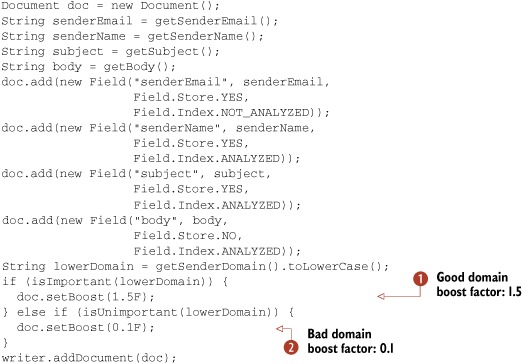
Just as you can boost documents, you can also boost individual fields. When you boost a document, Lucene internally uses the same boost factor to boost each of its fields. Imagine that another requirement for the email-indexing application is to consider the subject field more important than the field with a sender’s name. In other words, search matches made in the subject field should be more valuable than equivalent matches in the senderName field in our earlier example. To achieve this behavior, we use the setBoost(float) method of the Field class:
Field subjectField = new Field("subject", subject,
                               Field.Store.YES,
                               Field.Index.ANALYZED);
subjectField.setBoost(1.2F);
In this example, we arbitrarily picked a boost factor of 1.2, just as we arbitrarily picked document boost factors of 1.5 and 0.1 earlier. The boost factor values you should use depend on what you’re trying to achieve; you’ll need to do some experimentation and tuning to achieve the desired effect. But remember when you want to change the boost on a field or document, you’ll have to fully remove and then read the entire document, or use the updateDocument method, which does the same thing.
When you retrieve a document from the index, only the stored fields will be present. For example, fields that were indexed but not stored won’t be in the document. This behavior is frequently a source of confusion.