concept Windows in category machine learning
This is an excerpt from Manning's book Machine Learning Bookcamp.
The recommended way to install Anaconda on Windows is to use the Linux Subsystem for Windows.
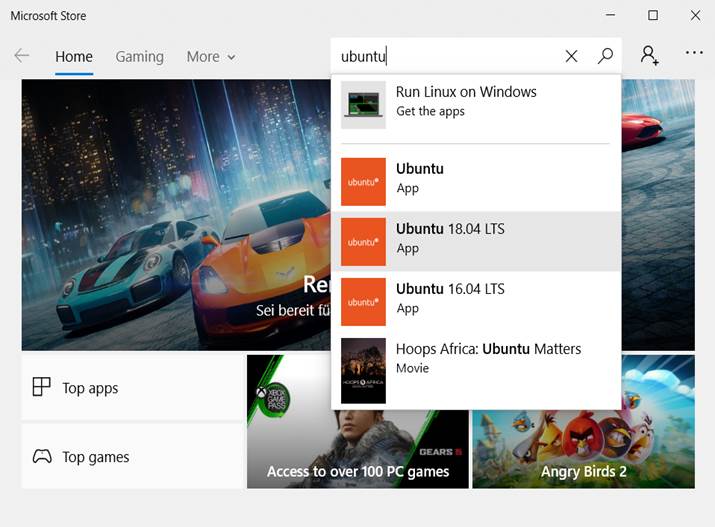
To install Ubuntu on Windows, open the Microsoft Store and look for “ubuntu” in the search box and then select “Ubuntu 18.04 LTS” (figure A.2).
Figure A.2 Use Microsoft Store to install Ubuntu on Windows

This is an excerpt from Manning's book Machine Learning with TensorFlow.
You can install TensorFlow in a couple of ways. This book assumes you’ll be using Python 3 for every chapter unless otherwise stated. The code listings abide by TensorFlow v1.0, but the accompanying source code on GitHub will always be up to date with the latest version (https://github.com/BinRoot/TensorFlow-Book/). This appendix covers one of these installation methods that works on all platforms, including Windows. If you’re familiar with UNIX-based systems (such as Linux or macOS), feel free to use one of the installation approaches in the official documentation: www.tensorflow.org/get_started/os_setup.html.