concept launch screen in category nativescript

This is an excerpt from Manning's book NativeScript in Action.
A launch screen is a graphical UI, usually displaying an image or logo, that displays while the app is loading.
The purpose of the launch screen in Android apps is to set the stage and introduce the app to the user. In the world of Android, an app’s launch screen can be creative, but at the same time simple. Furthermore, a launch screen should adhere to Google’s Material Design launch screen guidelines.
Listing 12.2 The splash_screen.xml file, which defines a NativeScript app’s launch screen
<layer-list xmlns:android="http://schemas.android.com/apk/res/android" android:gravity="fill"> <item> <bitmap android:gravity="fill" android:src="@drawable/background" /> #1 </item> <item> <bitmap android:gravity="center" android:src="@drawable/logo" /> #2 </item> </layer-list> #1 Points to background.png, an image filling the background of the launch screen #2 Points to logo.png, the image centered on the launch screen
When you create your app with the NativeScript CLI, the App_Resources/iOS folder is populated with iOS-specific files. When modified, these files can affect the behavior of your app, allowing you to control the app name, iOS icon, launch image, and support device sizes. You can use the default iOS App_Resources files without any modification and your app can be published to the App Store. But, the default icon (right) and launch screen (left) probably won’t be sufficient (image 13.2).
Figure 13.2 The default NativeScript launch screen (left) and app icon (right).
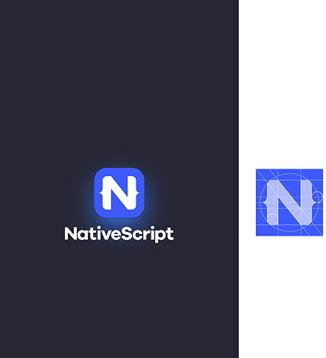
Don’t get us wrong – the NativeScript app icon and launch screen look good, but mobile apps are about creating a great experience for users. So, you’ll want to customize these items before publishing your app.
Launch screens allow you to display a splash screen while your app loads.
Launch screens are a great way to brand your app and create a better user experience because it provides feedback to users, letting them know your app is loading. Even though launch screens can look like anything, it’s standard to show your app’s icon centered on the screen.